A desktop pet robot is a small physical electronic companion designed to sit on a desk, study table, office workstation, shelf or gaming setup. It can create a sense of personality through animated eyes, digital expressions, touch interaction, sounds, lights, useful display modes or physical movement.
Some desktop pet robots can walk, roll, turn or move parts of their bodies. Others remain completely stationary and interact through their screens, sensors and programmed features. A stationary model may show blinking eyes, different moods, a digital clock, a focus timer, reminders or mini-games without physically moving around the desk.
This means physical movement is only one possible feature of a desktop pet robot. A device does not necessarily need legs, wheels or moving arms to feel interactive. Animated expressions, responsive controls and useful modes can also give a small electronic device its own recognizable character.
Products in this stationary category are also commonly described as:
- Desktop buddies
- Desk buddy robots
- Interactive desktop companions
- Animated desk companions
- Electronic desk pets
- Smart desk gadgets
- Programmable desk companions
The term desktop buddy is especially useful for products that combine animated expressions with practical functions such as clocks, focus timers and games. It communicates companionship without automatically making customers expect that the device will walk around.
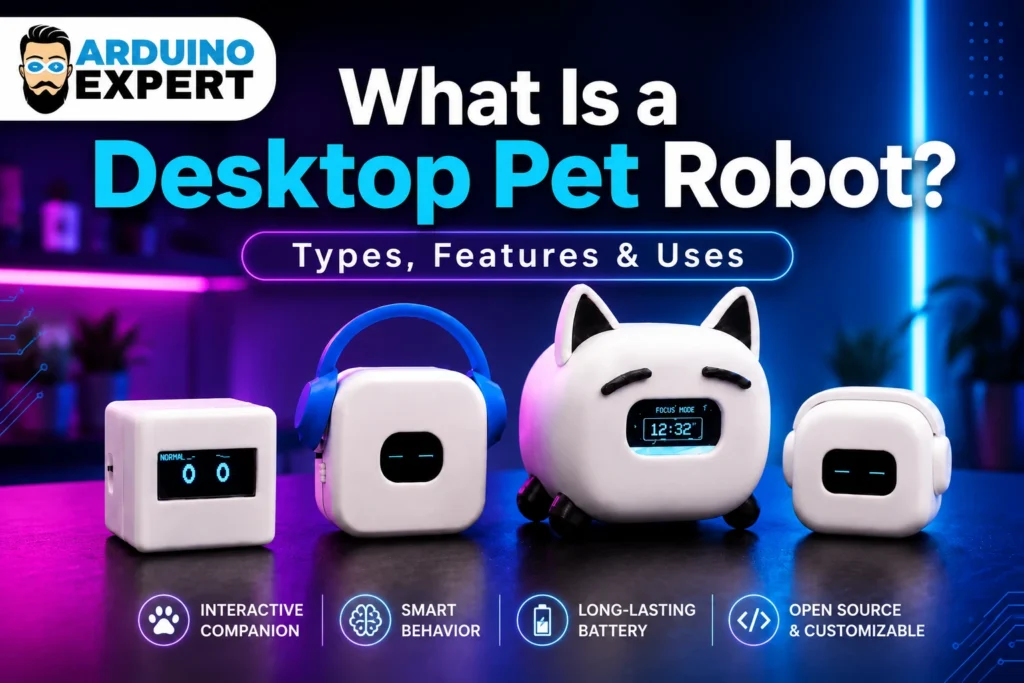
What Is the Difference Between a Desktop Pet, Desktop Pet Robot and Desktop Buddy?
These terms are related, people but each creates a slightly different expectations, people use these terms interchangeably.
Desktop Pet
A desktop pet is any character-like companion that lives on or around a desktop. It may be a physical electronic device, a small decorative object or even software that appears on a computer screen.
The term is friendly and easy to understand, but it does not always tell the user whether the product is physical or virtual.
Desktop Pet Robot
A desktop pet robot is normally understood as a physical electronic product. It may use a controller, sensors, a display, motors, speakers or programmed behavior to interact with its user.
Some desktop pet robots move around, while others remain stationary. The word “robot” describes their electronic and programmable nature; it does not always mean that they must walk.
Desktop Buddy
A desktop buddy is a broader lifestyle term for a small companion or useful gadget kept on a desk. It may show animated eyes, tell the time, run a focus timer, display reminders or provide entertainment.
For stationary products with expressive screens and practical features, desktop buddy is often the clearest customer-friendly description.
Interactive Desktop Companion
An interactive desktop companion is a more professional and precise name for a stationary physical device that responds to the user and provides expressive or useful functions.
It is particularly suitable for products intended for offices, study areas and modern workspaces.
Do All Desktop Pet Robots Move?
No. Desktop pet robots can be divided into two main categories:
- Desktop pet robots with physical movement
- Stationary desktop pet robots without physical movement
Both categories can offer interaction, personality and entertainment. The main difference is how they express themselves.
A moving robot may use wheels, legs, motors or rotating body parts. A stationary desktop buddy may use animated eyes, screen expressions, lights, sounds, touch controls and changing display modes.
Neither category is automatically better. The right type depends on the product’s purpose, price, size, power consumption and intended user.
Main Categories of Desktop Pet Robots
Desktop pet robots can be classified by their movement, design, interaction method and level of intelligence. Many features of Desktop pet of different categories overlap.
1. Stationary Desktop Pet Robots
A stationary desktop pet robot stays in one place. It does not walk, roll or travel across the table. Instead, it creates interaction through a display, sensors, buttons, touch controls, lights or sounds.
Common features include:
- Animated digital eyes
- Blinking and sleeping expressions
- Touch-responsive moods
- Digital clock
- Focus or Pomodoro timer
- Study timer
- Mini-games
- Custom messages
- Idle animations
- Rechargeable battery
- Programmable firmware
This category is often the best choice for desks because it is compact, stable and less likely to fall, collide with objects or disturb the user.
A stationary model can sit beside a monitor, laptop, keyboard or books without requiring a clear movement area.
The Arduino Expert DeskPets Series belongs primarily to this category. These physical desk companions use animated OLED expressions and practical modes to create interaction without walking around the table.
2. Animatronic Desktop Pets
An animatronic desktop pet remains mostly in one location but can move certain parts of its body.
It may be able to:
- Turn its head
- Move its ears
- Open and close its mouth
- Rotate its eyes
- Raise its arms
- Tilt its body
- Move a tail
- React through small gestures
This type sits between a fully stationary desk buddy and a mobile robot. It can show physical emotion without needing to travel across the desk.
Animatronic models may feel more lifelike, but they normally require additional motors, mechanical parts and power.
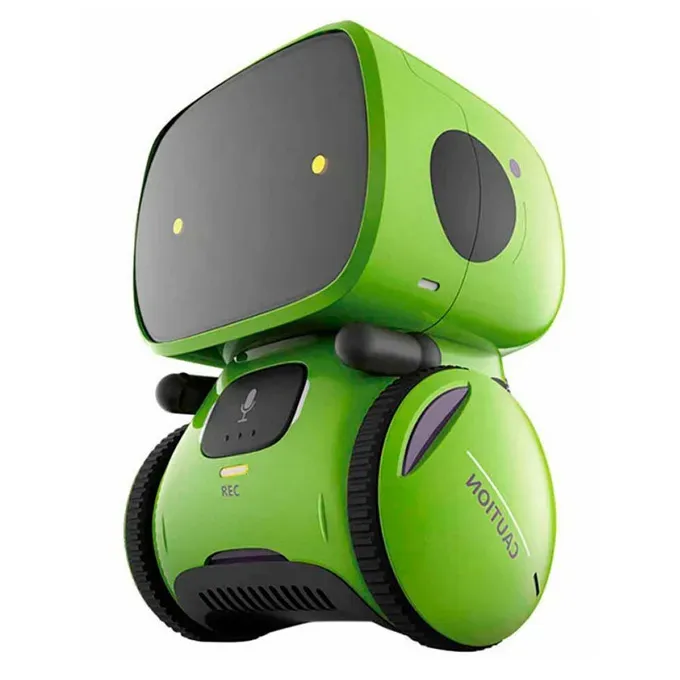
3. Wheeled Desktop Pet Robots
A wheeled desktop pet uses small motors and wheels to move across a table or smooth surface.
It may be able to:
- Move forward and backward
- Turn left and right
- Avoid obstacles
- Follow objects
- Return to a charging area
- Respond to remote controls or an app
- Explore a limited space
Wheeled models can provide more active interaction, but they need enough clear desk space. Edge detection is also important because a small robot could fall from a table if it cannot recognize the boundary.
4. Walking Desktop Pet Robots
Walking desktop pets use legs instead of wheels. They may resemble small animals, humanoid robots or fictional characters.
Their movements may include:
- Walking
- Dancing
- Turning
- Sitting
- Bending
- Reacting with body gestures
- Performing programmed routines
These robots can appear more expressive and pet-like, but their mechanical systems are usually more complicated. They may require multiple servo motors, balance control, larger batteries and more advanced programming.
Walking robots are normally more expensive than stationary screen-based companions.
5. Screen-Based Desktop Buddies
A screen-based desktop buddy uses a small OLED, LCD, LED matrix or similar display as its main face and interface.
The display may show:
- Animated eyes
- Different moods
- Time and date
- Timer progress
- Battery information
- Icons
- Custom names
- Text messages
- Game graphics
This category is particularly suitable for compact electronic products because one screen can provide both personality and practical information.
A simple change in eye shape can make the device appear happy, sleepy, surprised, curious, focused or playful.
6. Sound-Enabled Desktop Pets
Some desktop pets include a speaker, buzzer or microphone.
They may produce:
- Notification sounds
- Short melodies
- Emotional sound effects
- Alarm tones
- Game audio
- Voice responses
More advanced versions may respond to clapping, voice commands or environmental sounds.
Sound can improve interaction, but it is not necessary for every product. A silent desktop companion may be more suitable for classrooms, offices and shared workspaces.
7. AI Desktop Pet Robots
An AI desktop pet uses artificial intelligence for functions beyond basic programmed animations.
Possible AI capabilities include:
- Voice conversation
- Speech recognition
- Face recognition
- Object detection
- Adaptive behavior
- Personalized responses
- User recognition
- Generative dialogue
- Learning from previous interactions
Not every animated or interactive desktop pet is an AI robot. A device can show emotions, respond to touch and run different modes through conventional programming without using artificial intelligence.
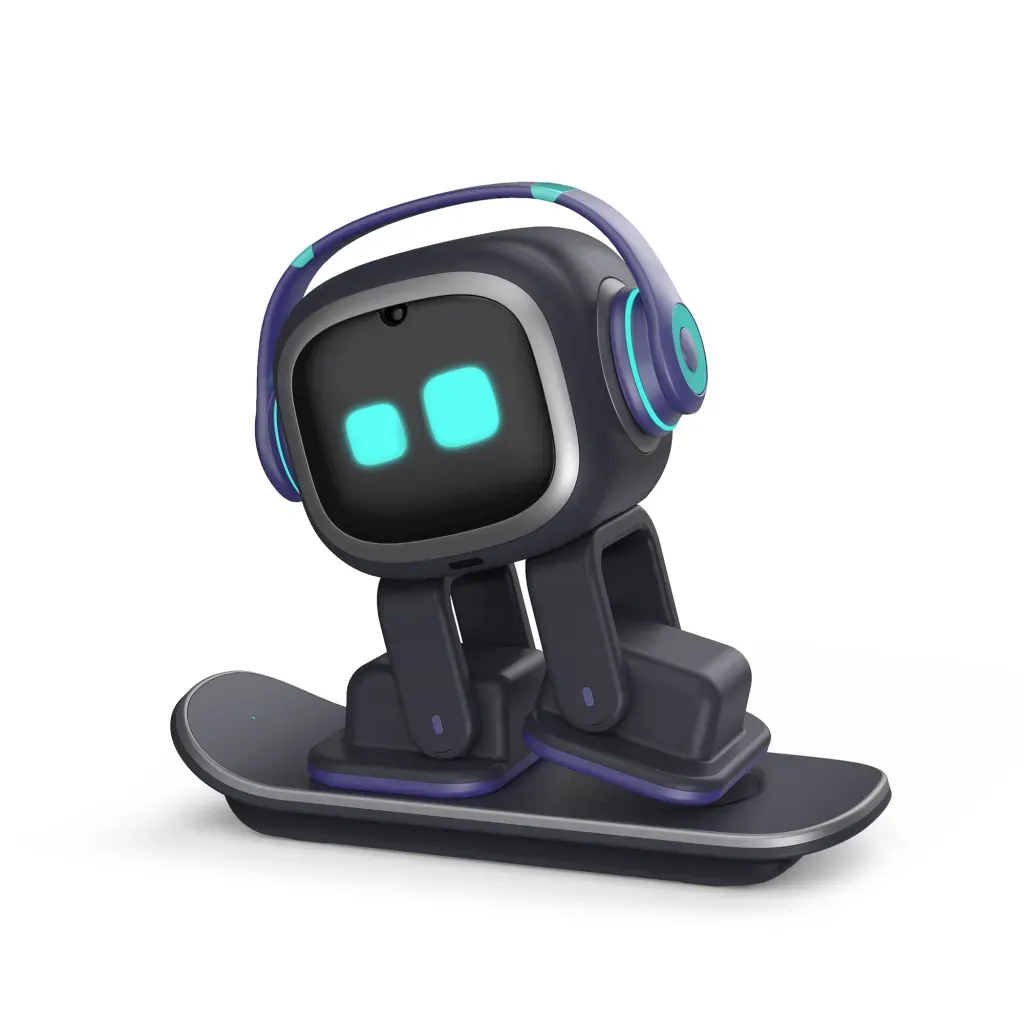
The term AI desktop pet should therefore only be used when the product includes genuine AI-based functions.
8. Programmable Desktop Pets
A programmable desktop pet allows users to change its code, animations or behavior.
It may use platforms such as:
- Arduino
- ESP32
- Raspberry Pi
- MicroPython
- CircuitPython
- Custom microcontroller boards
Programmable models are especially useful for students, makers and developers. Users may create new eye animations, add sensors, design games or develop custom productivity modes.
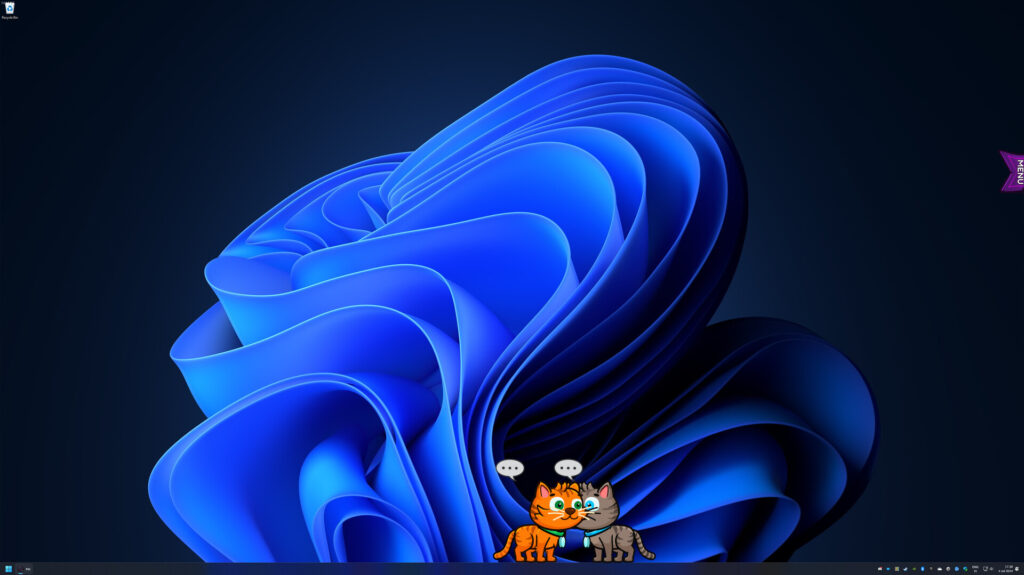
9. Virtual Desktop Pets
A virtual desktop pet is not a physical robot. It is a software character that lives on a computer screen, mobile device or application.
It may walk across windows, react to the mouse, display animations or help users manage focus sessions.
Virtual desktop pets are related to physical desk companions, but they belong to a separate software category. A physical desktop pet can be picked up, charged, placed beside a computer and customized through its body design.
How Does a Desktop Pet Robot Work?
A desktop pet robot normally combines electronic hardware, programmed software and a physical enclosure.
1. Microcontroller
The microcontroller acts as the brain of the device. It runs the firmware and controls the screen, sensors, buttons, lights, sounds or motors.
Compact boards such as an ESP32 are suitable for desk companions because they can support displays, touch inputs, wireless communication and multiple operating modes.
2. Display
The display provides the robot’s face and visual interface.
An OLED screen is commonly used in small desk companions because it is compact and can display clear graphics, text and animations.
The same display can switch between:
- Animated eyes
- Clock mode
- Focus timer
- Game mode
- Battery status
- Menu options
- Custom messages
3. Sensors and Controls
Sensors allow the device to respond to its user or environment.
Possible controls include:
- Capacitive touch sensors
- Push buttons
- Motion sensors
- Light sensors
- Distance sensors
- Microphones
- Accelerometers
- Gesture sensors
A simple touch sensor can change the robot’s expression, open a menu, start a timer or launch a game.
4. Power System
A portable desktop pet may use a rechargeable battery, charging module, power switch and voltage regulation system.
Some models can also work through a USB connection.
The power system should be selected according to the display, controller, sensors and any motors included in the design.
5. Firmware
Firmware gives the desk companion its behavior.
It determines:
- Which expression appears
- How often the eyes blink
- What happens when the user touches the device
- How the menus work
- How timers are calculated
- How games operate
- When the device enters sleep mode
- How battery information is displayed
A well-designed firmware system can make a simple electronic device feel responsive and full of character.
Physical Enclosure
The enclosure holds the electronics and gives the desktop pet its recognizable appearance.
It may be shaped like:
- A cube
- An animal
- A robot head
- A pod
- A character
- A helmet
- A headphone-inspired gadget
- A custom mascot
A 3D-printed enclosure makes it possible to customize the body, colors, screen position and overall character.
What Features Can a Stationary Desktop Buddy Include?
A stationary device can offer many features even without motors or physical movement.
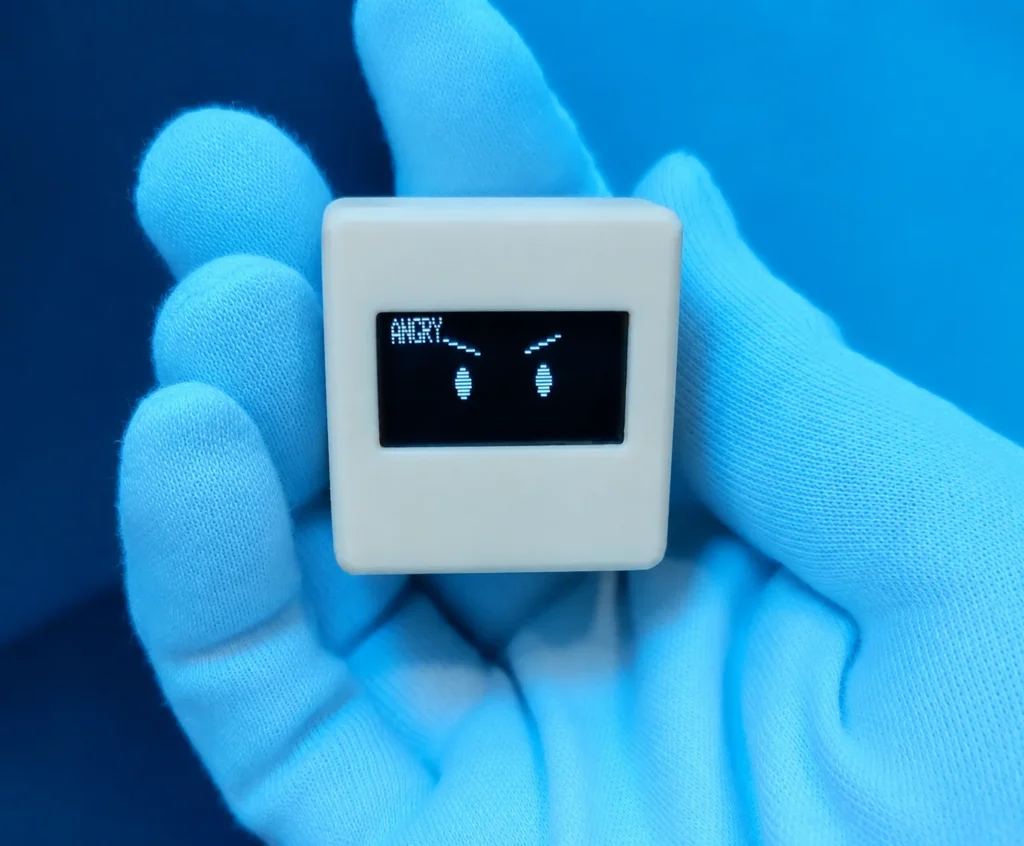
1. Animated Eyes and Expressions
Animated eyes are often the main personality feature.
The desktop buddy may appear:
- Happy
- Sleepy
- Curious
- Surprised
- Excited
- Calm
- Focused
- Playful
- Sad
- Confused
Blinking, looking in different directions and changing eye shapes can make the device feel alive.
2. Clock and Date Display
The screen can change from character mode to a digital clock.
Depending on the design, it may show:
- Current time
- Date
- Day of the week
- Alarm status
- Custom clock face
This turns the product into both a decorative companion and a useful desk display.
3. Focus Timer
A focus timer can help users divide work or study time into structured sessions.
The device may provide:
- Focus countdown
- Short break countdown
- Long break mode
- Start and pause controls
- Completion animation
- Visual progress
- Notification sound
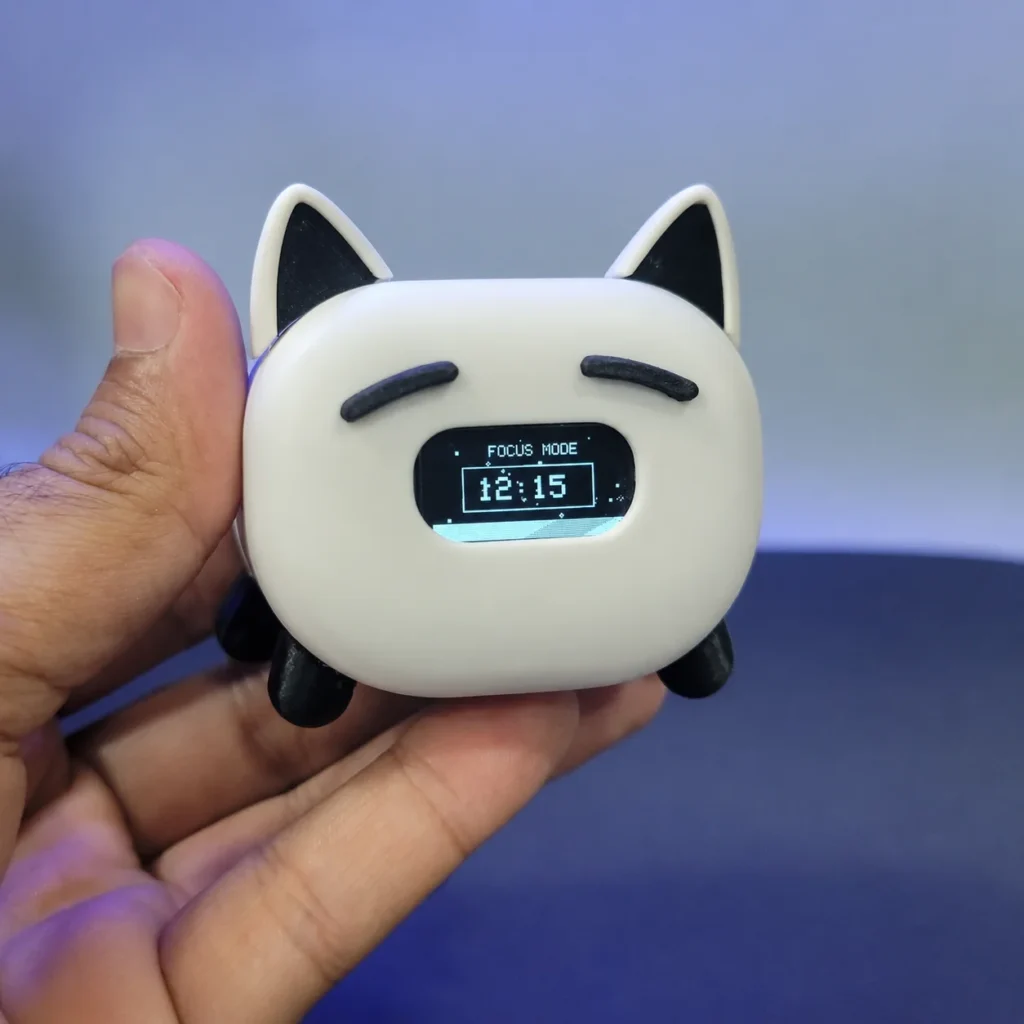
A focused facial expression can also appear while the timer is running.
4. Mini-Games
Small games can make the device more entertaining during breaks.
Possible games include:
- Snake
- Reaction games
- Memory games
- Number guessing
- Simple racing
- Digital pet activities
Because the games run on the same display, they can be added without changing the external design.
5. Touch Interaction
Touch controls can provide simple and intuitive interaction.
A short tap might change the expression, while a longer touch could open the menu or switch operating modes.
This avoids adding too many visible buttons to the enclosure.
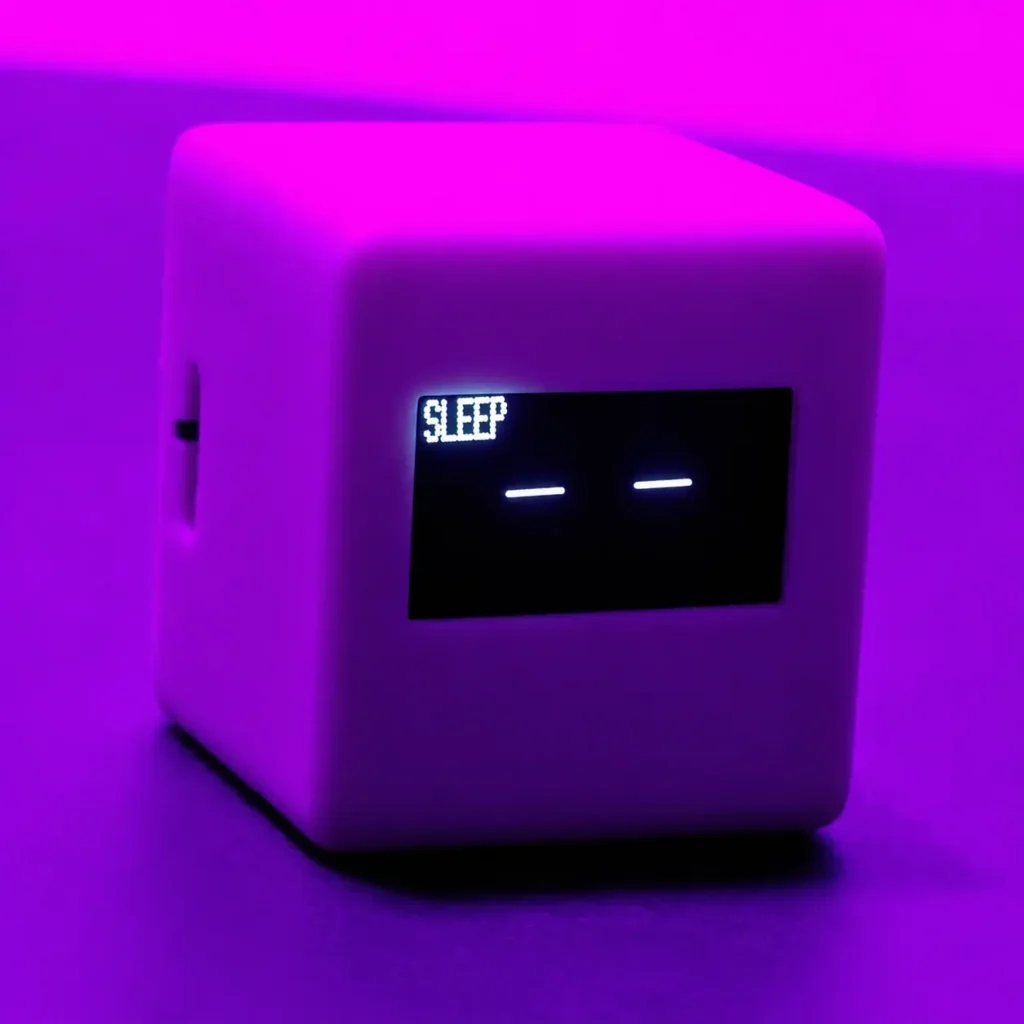
6. Sleep and Idle Modes
When the device is not being used, it can show:
- Sleeping eyes
- Slow blinking
- Random expressions
- Screensaver animations
- Reduced-brightness mode
- Automatic display sleep
These small behaviors help maintain the feeling of a digital companion.
7. Custom Messages and Branding
A programmable desktop companion can display:
- User names
- Motivational messages
- Company logos
- School names
- Event branding
- Custom characters
- Personalized greetings
This makes it suitable for gifts, corporate promotions, schools and custom electronics projects.
Different Desktop Pet Body Styles
The electronics may be similar, but the enclosure design can completely change the personality of the product.
Cube-Style Desktop Pets
Cube-style companions have a simple geometric body.
They are:
- Compact
- Minimal
- Easy to place
- Suitable for office desks
- Easy to customize
- Well suited to programmers and technology enthusiasts
Arduino Expert’s CubeBot follows this clean, minimal design direction.
Animal-Style Desktop Pets
Animal-inspired designs may include features such as ears, tails or recognizable facial shapes.
They are often suitable for:
- Children
- Gift buyers
- Animal lovers
- Playful desk setups
- STEM activities
MeowBot uses a cat-inspired appearance to create a more playful personality.
Headphone-Style Desktop Pets
Headphone-inspired designs are suitable for gaming desks, music-themed spaces and modern technology setups.
The headphone shape may sit outside the main body or be integrated into it.
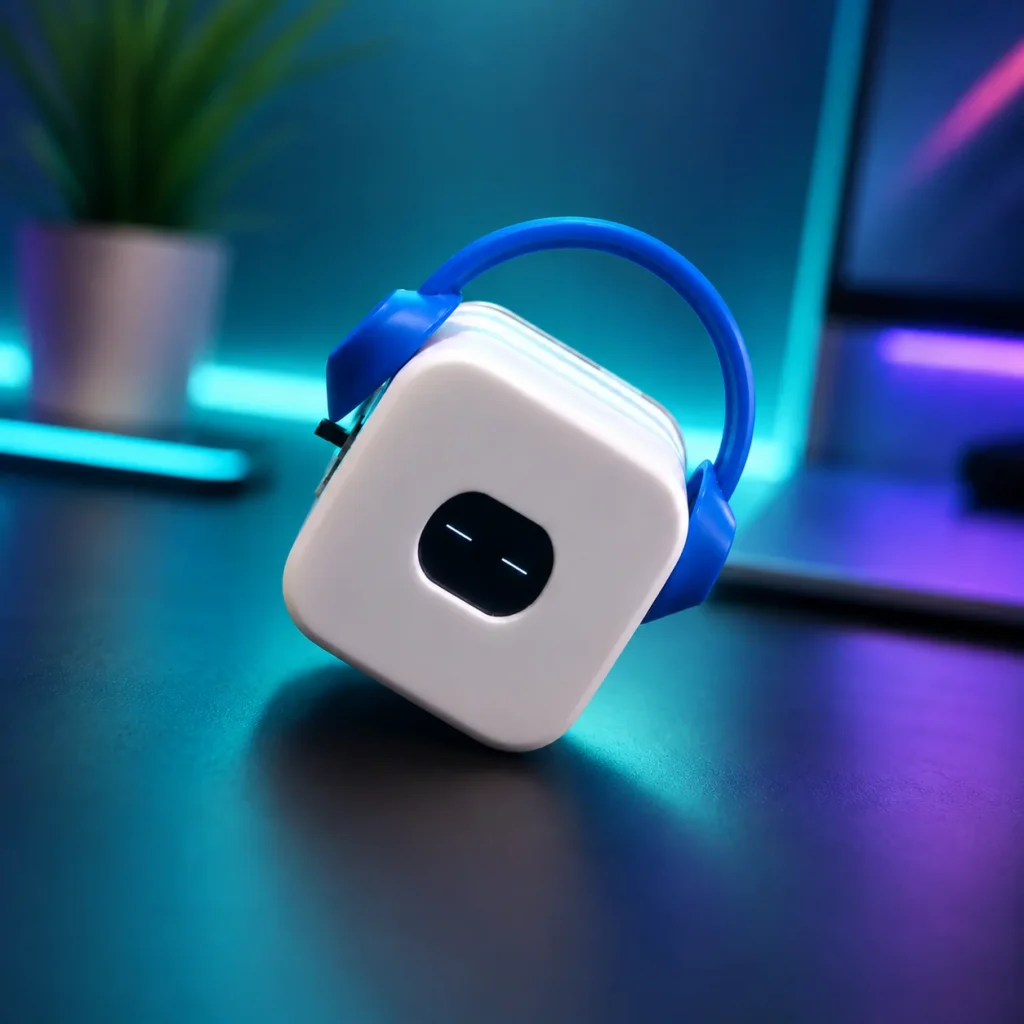
Arduino Expert’s BeatBot and PodBot explore these two different headphone-style approaches.
Pod-Style Desktop Pets
Pod-style devices usually have a rounded or compact futuristic appearance.
They can look clean and modern while keeping the screen as the main visual feature.
Character and Mascot Desktop Pets
A custom desktop pet can be designed around:
- A business mascot
- A fictional character
- A school identity
- A content creator’s brand
- A personalized gift
- A specific color theme
Custom body design makes the same electronic platform suitable for many different audiences.
Desktop Pet Robot vs Normal Toy Robot
A normal toy robot is usually designed mainly for play. It may perform fixed movements, produce sounds or follow simple commands.
A desktop pet robot is generally designed to remain part of the user’s everyday workspace. It focuses more on personality, repeated interaction and desk-friendly functions.
A toy robot is usually something the user takes out when they want to play.
A desktop buddy is something that remains beside the user while they study, work, code or play games.
Desktop pet robots can also be more customizable because users may be able to modify their firmware, expressions, casing or display modes.
Desktop Pet Robot vs Virtual Pet
A virtual pet lives inside a phone, computer, browser or software application. It does not have an independent physical body.
A physical desktop pet robot:
- Sits on the table
- Has a real enclosure
- Can be picked up
- Uses physical controls or sensors
- Requires power or charging
- Becomes part of the desk setup
Both types can show personality, but the physical presence of a desk companion creates a different experience.
Desktop Pet Robot vs Smart Display
A smart display is normally designed to present information such as weather, calendars, media or notifications.
A desktop pet robot places more emphasis on character and emotional expression.
The two categories can overlap. A desktop buddy may show the time and run a focus timer like a smart display while also showing blinking eyes and playful expressions.
The main difference is personality. A conventional display presents information, while a desktop pet presents information through a recognizable character.
Who Can Use a Desktop Pet Robot?
Students
Students can use a desktop buddy as a study companion.
A built-in focus timer can structure study sessions, while animated expressions make the desk feel more engaging.
Programmers and Developers
Programmers often enjoy customizable desk gadgets.
A programmable desktop pet can provide a platform for experimenting with animations, sensors, menus, timers and embedded software.
Office Workers
A stationary desktop companion can add personality to an office without taking up much space or creating noise.
Clock and focus modes can also provide practical value during the working day.
Gamers and Content Creators
Animated desk companions can complement gaming setups, RGB accessories and character-themed workspaces.
Headphone-style designs may be particularly suitable for this audience.
Kids and Beginners
A desktop pet project can introduce children and beginners to electronics, coding and product design in an approachable way.
Adult guidance may be required when projects involve batteries, soldering or small electronic components.
Makers and Hobbyists
Makers can modify:
- Firmware
- Eye animations
- Sensors
- Enclosure design
- Colors
- Games
- Charging systems
- Wireless functions
The project combines technical and creative work in one finished product.
Gift Buyers
A desktop buddy can be a distinctive gift for someone interested in:
- Technology
- Coding
- Robotics
- Gaming
- Cute characters
- Desk accessories
- Electronics
- 3D printing
Are Desktop Pet Robots Useful or Only Decorative?
Their usefulness depends on the features included.
A basic model may work mainly as an animated desk decoration. A multifunction model can provide practical tools for work and study.
Possible uses include:
- Checking the time
- Running focus sessions
- Setting simple reminders
- Playing short games
- Learning programming
- Testing sensors
- Practicing display animation
- Exploring 3D design
- Creating a personalized gift
- Adding character to a workspace
A desktop pet does not have to perform complex tasks to be valuable. Its purpose may be to combine a useful desk function with an enjoyable visual personality.
Desktop Pet Robots for STEM Learning
Desktop pet projects can combine several STEM skills in a single product.
Students can learn about:
- Microcontrollers
- Electronic circuits
- Display modules
- Sensors
- Battery systems
- Programming logic
- User interfaces
- Digital animation
- 3D modelling
- 3D printing
- Product assembly
- Testing and troubleshooting
The finished project feels more complete than a basic test circuit because the electronics are placed inside a designed enclosure and given recognizable behavior.
Schools, robotics clubs and makerspaces can also use desktop pet projects to combine engineering with creativity.
Building a Desktop Pet vs Buying One
Both options have advantages.
Building Your Own Desktop Pet
Building one is suitable for users who want to learn about:
- ESP32 programming
- OLED graphics
- Sensor integration
- Battery charging
- 3D printing
- Firmware development
- Product assembly
It provides more freedom, but it also requires time, tools, troubleshooting and technical knowledge.
You can follow the Arduino Expert guide on how to make a desktop pet robot with an ESP32, OLED display, touch sensor, rechargeable battery and 3D-printed casing.
Buying a Ready-Made Desktop Buddy
A ready-made model is suitable for users who want a finished product without assembling the electronics or debugging the firmware.
The user can place it on the desk, turn it on and start using its expressions and available modes.
Arduino Expert offers several ready-made DeskPets with different body styles for users who prefer a complete physical desktop companion. Visit Arduino Expert Shop Page for buying desktop pets.
What to Consider Before Buying a Desktop Pet Robot
Before selecting one, consider the following questions:
- Is it a physical device or computer software?
- Does it remain stationary or physically move?
- Does it require clear desk space?
- Does it have animated expressions?
- Can it display a clock?
- Does it include a focus timer?
- Are mini-games available?
- How does the user control it?
- Does it use touch sensors or buttons?
- Is it rechargeable?
- How long does the battery last?
- Can the firmware be customized?
- Can the enclosure color be changed?
- Does it require Wi-Fi?
- Does it use genuine AI?
- Is it ready-made or supplied as a kit?
- What is included in the box?
These questions help separate simple decorative products from programmable, interactive or movement-based robots.
What Makes a Good Desktop Buddy?
A good desktop companion should provide a balance of personality, usefulness and simple operation.
Important qualities include:
- Attractive desk-friendly design
- Clear and smooth animations
- Simple controls
- Stable electronics
- Safe charging
- Strong enclosure
- Readable display
- Reliable firmware
- Useful operating modes
- Easy placement
- Clear product description
- Accurate explanation of movement and AI features
The user should understand whether the product moves, what it displays and how it can be controlled before buying it.
The Future of Desktop Pet Robots
Desktop pet robots are likely to become more expressive and multifunctional as electronic components continue to improve.
Future models may include:
- More advanced displays
- Voice interaction
- App connectivity
- Better sound recognition
- Smart reminders
- Personalized animations
- Environmental sensors
- Computer integration
- Wireless firmware updates
- Longer battery life
- AI-assisted conversation
- More expressive body movement
However, advanced movement and AI are not necessary for every product.
Simple stationary desktop buddies can remain appealing because they are compact, affordable, easy to use and suitable for crowded desks. Animated eyes, touch interaction and useful display modes can provide an engaging experience without complicated mechanical systems.
Which Category Best Describes Arduino Expert DeskPets?
Arduino Expert DeskPets are best described as:
Stationary interactive desktop pet robots or animated desktop buddies.
They are physical electronic products designed to sit on a desk or table. They do not need to walk or roll to interact with the user.
Their personality and functionality can come from features such as:
- Animated OLED eyes
- Different digital expressions
- Touch interaction
- Clock display
- Focus timer
- Mini-games
- Rechargeable operation
- Programmable ESP32 hardware
- Compact 3D-printed bodies
This positioning is more precise than describing them only as toy robots. It also avoids suggesting that physical movement or artificial intelligence is included when it is not.
Arduino Expert also offers Product Design and Development Services for Custom Desktop Pet Development. Contact us for more information.
Explore Arduino Expert Desktop Buddies
The Arduino Expert DeskPets Series includes physical desktop companions in several visual styles:
- CubeBot: A minimal cube-style desktop companion
- MeowBot: A playful cat-inspired desk pet
- BeatBot: A bold headphone-style desktop buddy
- PodBot: A compact design with integrated headphone styling
Each model is designed to add animated personality and useful digital features to a study table, office desk, programming workspace or gaming setup.
Users who enjoy electronics can also explore the Arduino Expert ESP32 desktop pet project guide to understand how a small controller, OLED screen, touch sensor, battery and 3D-printed body can be combined into an interactive desk companion.
Final Thoughts
A desktop pet robot is a physical electronic companion designed for personal interaction on a desk or table.
Some models walk, roll or move their body parts. Others remain stationary and use animated eyes, touch sensors, clocks, focus timers, games and digital expressions to communicate with the user.
The stationary category is often called a desktop buddy, animated desk companion or interactive desktop companion. These names are particularly suitable for products that combine character-like expressions with practical desk functions. Whether used for work, study, programming, STEM education, gaming setups or gifts, a desktop pet shows how simple electronics and thoughtful design can turn a small device.
Frequently Asked Questions
What is a desktop pet robot?
A desktop pet robot is a small physical electronic companion designed to sit on a desk. It may use animated expressions, sensors, sounds, lights, useful display modes or physical movement to interact with its user.
Is a desktop buddy the same as a desktop pet robot?
The terms often overlap. Desktop buddy is a broader and friendlier name that is particularly suitable for stationary devices with animated eyes, clocks, timers and games. Desktop pet robot emphasizes that the product is physical, electronic and programmable.
Do all desktop pet robots walk?
No. Some desktop pets can walk or roll, while others remain stationary. Non-moving models interact through displays, touch sensors, buttons, sounds and programmed modes.
Can a stationary device still be called a robot?
Yes. A programmable electronic device can use sensors, automated behavior and user interaction without travelling from one place to another. However, “interactive desktop companion” or “desktop buddy” may explain a stationary product more clearly to general customers.
What is a stationary desktop pet?
A stationary desktop pet is a physical electronic companion that remains in one location. It may show animated eyes, respond to touch, display the time, run a focus timer or provide mini-games.
Is every desktop pet powered by AI?
No. Many desktop pets use conventional firmware and programmed animations. AI is only present when the product includes features such as speech recognition, computer vision, adaptive learning or generative conversation.
Can a desktop pet display a clock?
Yes. Screen-based desktop pets can switch between animated face mode and clock mode. They may also show the date, timer progress, battery status or custom messages.
Can a desktop buddy help with studying?
A desktop buddy with a focus or Pomodoro timer can help users organize work and study sessions. Visual progress and completion animations may also make the process more engaging.
Are desktop pet robots good for STEM learning?
Yes. Building or programming one can teach electronics, microcontrollers, sensors, display programming, battery systems, coding, 3D modelling and product assembly.
Can I program my own desktop pet?
Yes. A programmable model can be developed using platforms such as ESP32, Arduino or Raspberry Pi. Users can create their own expressions, timers, games and sensor responses.
What is the difference between a physical and virtual desktop pet?
A physical desktop pet is a real electronic object placed on a table. A virtual desktop pet is software that appears on a computer or mobile screen.
What are the main types of desktop pet robots?
The main types include stationary screen-based companions, animatronic models, wheeled robots, walking robots, sound-enabled pets, AI companions, programmable STEM models and virtual software pets.
Which term best describes Arduino Expert DeskPets?
The most accurate description is stationary interactive desktop pet robots or animated desktop buddies with practical display functions.