At Arduino Expert, we developed a custom Offline GPS Geo-Fence Navigation System using Arduino Mega for a client. This project was designed to provide location-based guidance inside a predefined area without depending on the internet, Wi-Fi, GSM network, or online maps.
The main purpose of this project was to create a simple, reliable, and offline navigation device that can guide a user toward selected destinations using GPS coordinates. The system uses a NEO-6M GPS module to read the live location of the user, an Arduino Mega to process GPS data and navigation logic, a 20×4 I2C LCD to display destination and distance information, and a YX5300 MP3 module to provide audio or voice guidance.
Unlike normal mobile navigation systems that require internet connectivity or map services, this project works on predefined GPS coordinates stored inside the Arduino code. The client’s required area was mapped using multiple GPS reference points and destination coordinates. The user can select a destination using push buttons, and the system provides real-time guidance through the LCD and MP3 audio module.
This project is a practical example of Product Design and Development, Arduino Project Development, Custom Electronics Project Development, and Embedded Systems Development. It combines hardware integration, GPS tracking, user interface design, audio feedback, and embedded programming into one complete working solution.
For businesses, industries, farms, campuses, restricted areas, and private sites, this type of system can be used as an offline GPS-based guidance device where internet-based navigation is not suitable or not available.
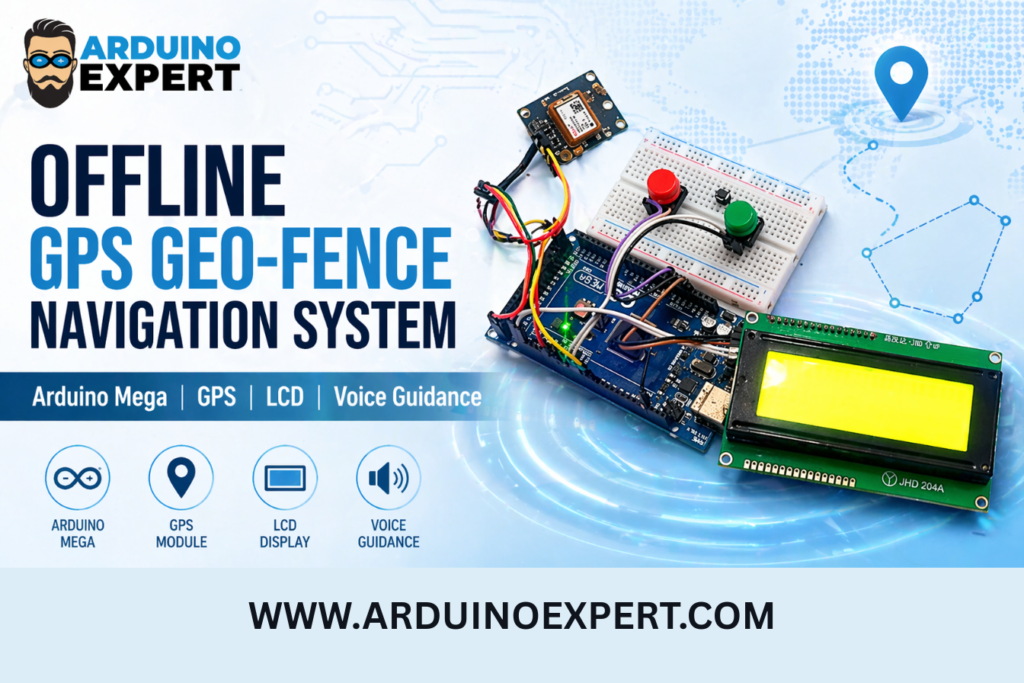
Offline GPS Geo-Fence Navigation System Project Overview
This project is an Arduino-based offline navigation and geo-fence guidance system. It is designed to guide a user from their current GPS location to a selected destination inside a predefined mapped area.
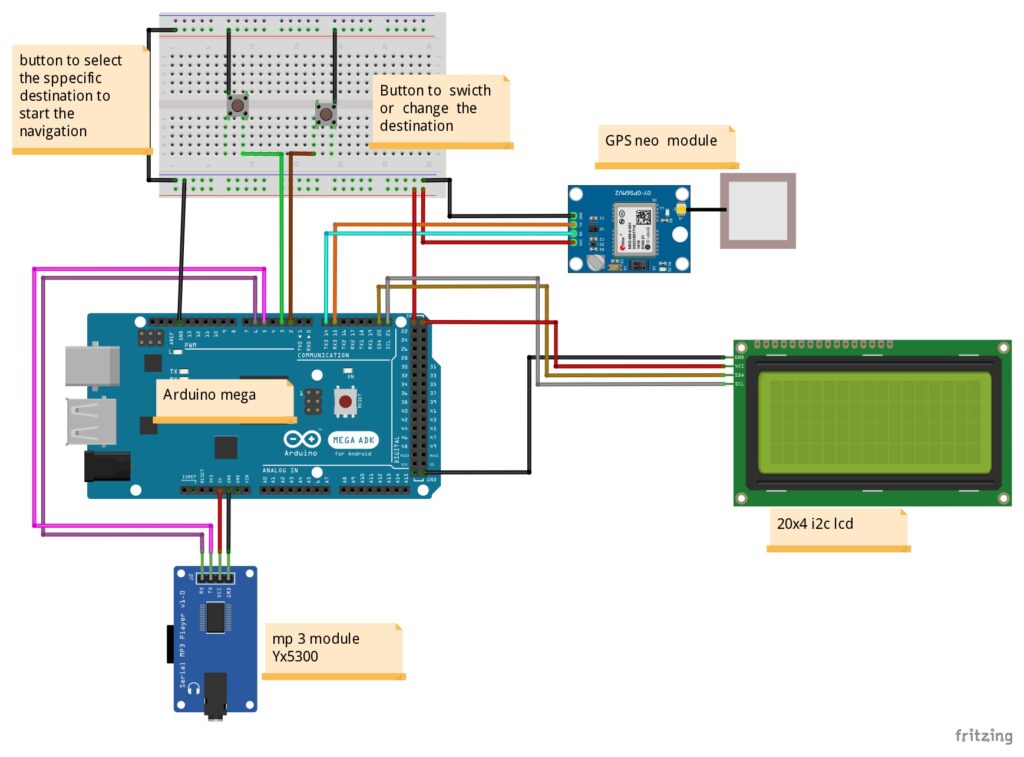
The device includes two push buttons. One button is used to change or switch between available destinations, while the second button is used to select the required destination and start navigation. Once the destination is selected, the Arduino Mega starts reading GPS data continuously from the NEO-6M GPS module.
The system compares the user’s current latitude and longitude with the stored destination and route reference points. Based on this comparison, it calculates the approximate distance and provides direction instructions. These instructions are displayed on the 20×4 LCD and can also be played as voice messages using the YX5300 MP3 module.
This makes the project more useful than a simple GPS tracker. It does not only show location; it also provides a destination-based guidance experience. The user can select where they want to go, and the system helps them reach that point using offline GPS data.
Objective of the Custom GPS Navigation and Geo-Fence System
The main objective of this project was to develop a custom offline GPS-based destination guidance system that can help users navigate inside a predefined area.
The project was designed to:
- Track the user’s live GPS location
- Allow the user to select one of multiple predefined destinations
- Display navigation information on a 20×4 LCD
- Provide audio guidance using an MP3 module
- Work without internet, GSM, Wi-Fi, or online maps
- Guide the user using stored GPS coordinates
- Provide a simple button-based user interface
- Create a client-specific geo-fence navigation solution
Checkout our Similar Project: GPS Guided Autonomous Boat with Manual Control
Components Used in Offline Destination Navigation System
1. Arduino Mega
The Arduino Mega is the main controller of the project. It reads GPS data, handles button inputs, controls the LCD display, and sends commands to the MP3 module.
Arduino Mega was selected because it has more memory, more input/output pins, and multiple hardware serial ports compared to Arduino UNO. This makes it suitable for projects involving GPS, audio modules, LCDs, and multiple inputs.

2. NEO-6M GPS Module
The NEO-6M GPS module is used to receive live location data. It provides latitude and longitude values, which are used by the Arduino to track the user’s position and calculate the distance to the selected destination.
3. 20×4 I2C LCD Display
The 20×4 I2C LCD displays important information to the user. It can show the current status, selected destination, GPS availability, distance, and navigation instructions.
The I2C interface reduces the number of wires needed for LCD communication, making the circuit simpler and more organized.
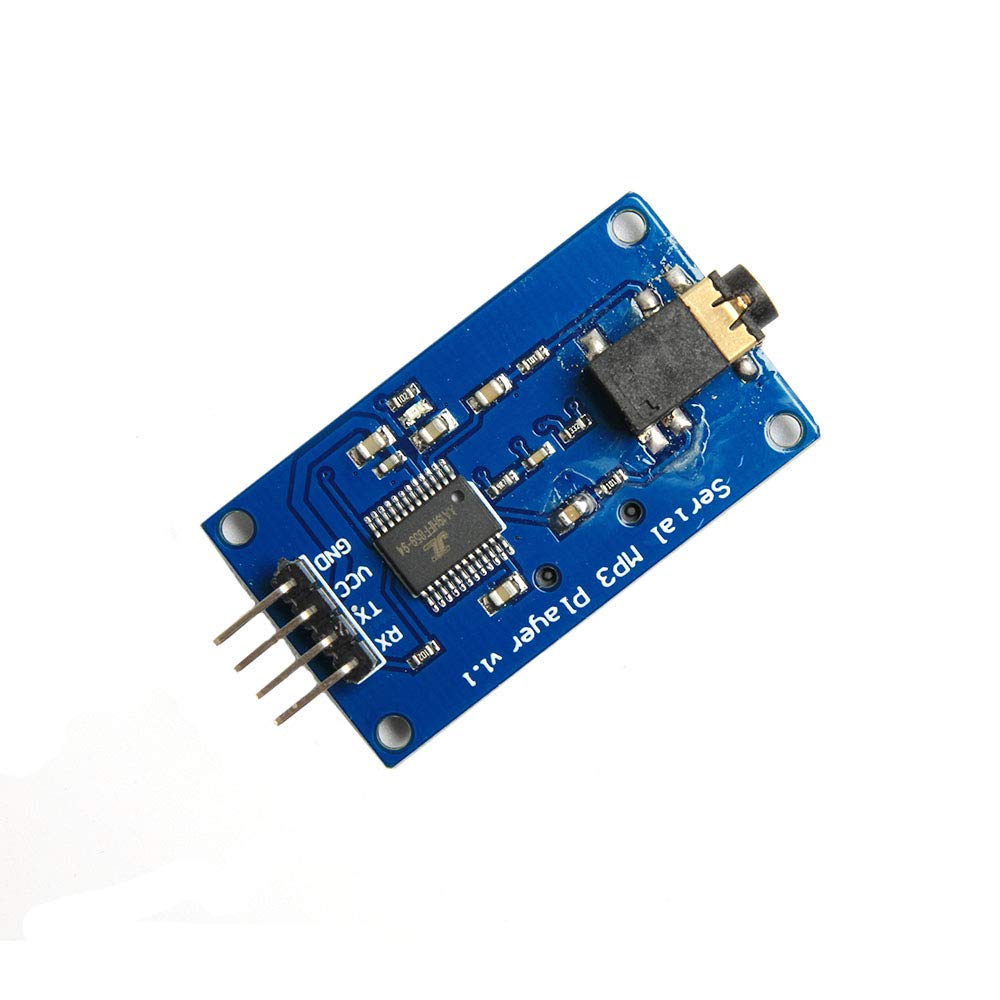
4. YX5300 MP3 Module
The YX5300 MP3 module is used for voice guidance. It can play pre-recorded audio files such as “turn left,” “turn right,” “move forward,” or “destination reached.”
This feature makes the system more practical because the user does not need to look at the LCD all the time.
5. Push Buttons
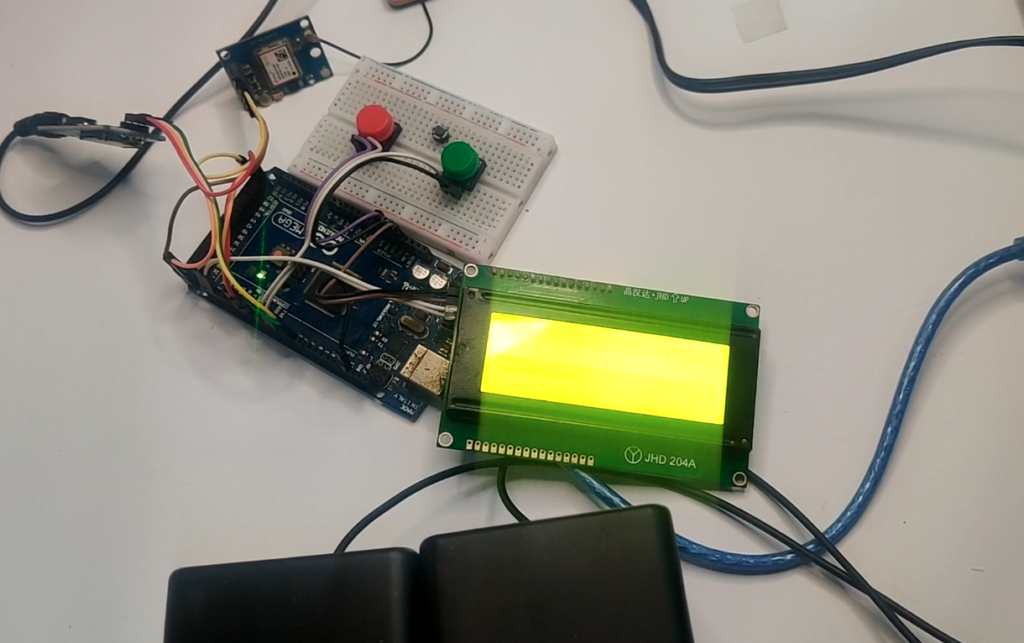
Two push buttons are used in this project. One button changes the selected destination, and the other button confirms the destination and starts navigation.
This simple control method makes the device easy to operate.
6. Breadboard and Jumper Wires
Breadboard and jumper wires were used for prototyping, testing, and circuit development before final deployment.
How This Geo-Fence Navigation System Works
1. Power-On and Initialization
When the system is powered on, the Arduino Mega initializes all connected modules, including the GPS module, LCD display, MP3 module, and push buttons.
The LCD displays a startup or waiting message while the GPS module searches for satellite signals. Once valid GPS data is received, the system becomes ready for destination selection.
2. GPS Location Detection
The NEO-6M GPS module reads live GPS data, including latitude and longitude. The Arduino processes this data to determine the user’s current position.
This live location is the foundation of the entire navigation system. Without GPS data, the system cannot calculate the distance or direction to the destination.
3. Destination Selection
The user can press the destination change button to move between stored destinations. Each destination is already saved in the Arduino code using its GPS coordinates.
For example, the system may include Destination 1, Destination 2, Destination 3, and so on. The selected destination is shown on the LCD.
4. Start Navigation
After selecting the required destination, the user presses the second button to start navigation. The system then begins comparing the user’s live location with the selected destination and intermediate reference points.
5. Distance and Direction Calculation
The Arduino calculates the distance between the current GPS location and the destination. It also checks stored route points or corner points to determine the best guidance instruction.
The system can display messages such as:
- Move forward
- Turn left
- Turn right
- Continue moving
- Reached destination
6. LCD and Voice Guidance
The LCD provides visual guidance, while the MP3 module plays audio instructions. This combination makes the device more user-friendly and suitable for practical use.
7. Arrival Detection
When the user reaches close to the selected destination, the system detects arrival based on the distance threshold and displays an arrival message. The MP3 module can also play a destination-reached audio notification.
Key Features of the Arduino GPS Location Tracking Project
Offline GPS Navigation
The system does not require internet or mobile network connectivity. It works completely offline using GPS signals and stored coordinates.
Geo-Fence Based Location Guidance
The project uses predefined GPS points to guide the user inside a specific area. This makes it suitable for site-specific geo-fence applications.
Multiple Destination Selection
The user can select from multiple stored destinations using a push button. This makes the system flexible for different locations inside the mapped area.
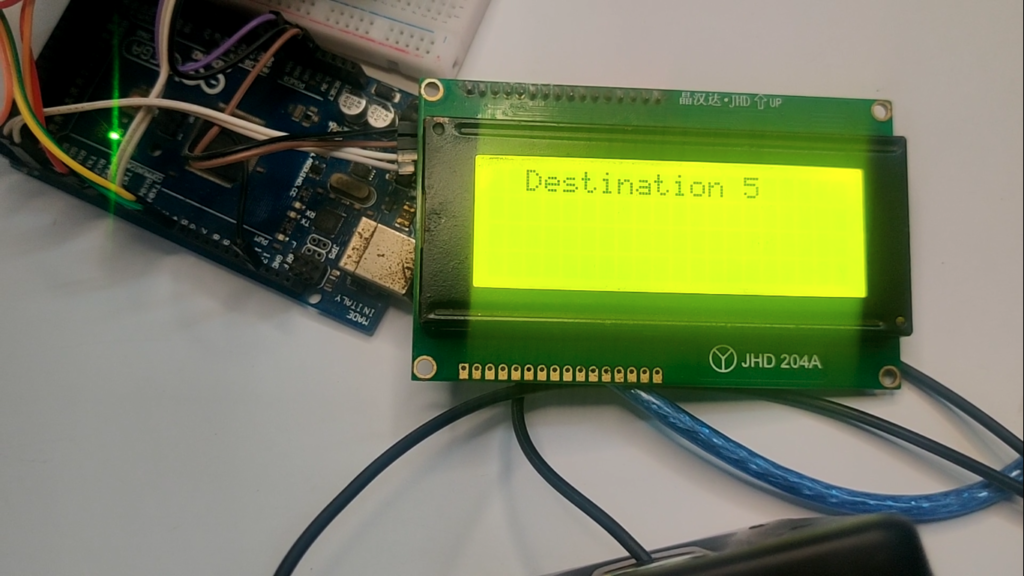
LCD Display Interface
The 20×4 LCD provides real-time navigation information in a clear and readable format.
Voice Guidance
The MP3 module plays audio instructions, making the system easier to use while moving.
Arduino Mega Based Embedded System
The complete logic is handled by Arduino Mega, making it a standalone embedded system.
Client-Specific Customization
The system was developed according to the client’s specific requirements, area layout, and destination points.
Expandable Design
More destinations, alerts, geo-fence boundaries, or wireless features can be added in future versions
Applications of This Project
This type of offline GPS geo-fence navigation system can be used in:
- Industrial sites
- Large warehouses
- Agricultural farms
- Solar farms
- Mining areas
- University campuses
- Construction sites
- Private housing societies
- Restricted access zones
- Security patrol systems
- Field survey operations
- Tourist parks
- Large factories
- Outdoor training areas
- Custom GPS tracking applications
Circuit Diagram of Custom GPS Navigation and Geo-Fence System with Arduino
Arduino Code for Offline Geo-Fence Guidance System
#include <TinyGPS++.h>
#include <LiquidCrystal_I2C.h>
#include <SoftwareSerial.h>
int songstate=0;

#define ARDUINO_RX 5  // Connect to TX of the Serial MP3 Player module
#define ARDUINO_TX 6  // Connect to RX of the module

SoftwareSerial mp3(ARDUINO_RX, ARDUINO_TX);

#define CMD_PLAY_W_INDEX  0x03  // Play with index number
#define CMD_VOLUME_UP     0x04  // Volume up
#define CMD_VOLUME_DOWN   0x05  // Volume down
#define CMD_SEL_DEV       0x09  // Select device

#define DEV_TF            0x02  // Device TF card

void sendCommand(byte command, byte dat1 = 0, byte dat2 = 0) {
  byte Send_buf[8] = {0x7E, 0xFF, 0x06, command, 0x00, dat1, dat2, 0xEF};
  for (uint8_t i = 0; i < 8; i++) {
    mp3.write(Send_buf[i]);
  }
}

// Define the corner points
struct Corner {
  float lat;
  float lon;
};

Corner corners[] = {
Technical Importance of Offline Geo-Fence Guidance System
This project is technically important because it combines multiple embedded system concepts in one complete solution.
It involves:
- GPS data reading
- Serial communication
- Coordinate-based distance calculation
- LCD display programming
- MP3 module control
- Push-button interface design
- Route guidance logic
- Embedded decision-making
- Offline navigation algorithm
- Client-specific product prototyping
Explore our Car Crash Alert System Using Arduino and GSM, GPS, MPU6050, and FSR402
Why This Project Is Useful
This project is useful because it solves a practical navigation problem in places where normal mobile navigation may not be suitable.
In many industrial sites, farms, campuses, private properties, or restricted areas, internet access may not be available. Online maps may also not provide accurate internal route details. In such cases, a custom offline GPS navigation system can be very helpful.
The system can guide workers, visitors, operators, or field staff toward selected locations inside a mapped area. Since the device is based on Arduino and GPS, it can be customized according to the exact needs of the client.
This project can also be modified into a geo-fence safety system, where alerts are generated if a user enters or exits a restricted zone.
Conclusion
The Offline GPS Geo-Fence Navigation System using Arduino Mega is a powerful example of how custom embedded electronics can solve real-world navigation problems. This project combines GPS tracking, geo-fence logic, LCD display, voice guidance, and button-based user control into one complete standalone system.
Developed for a client by Arduino Expert, this project shows our expertise in Arduino Projects, Product Design and Development, Custom Electronics Project Development, and Embedded Systems Development.
Whether you need a GPS tracking device, a geo-fence monitoring system, an offline navigation solution, or a custom embedded product, our team can design and develop a solution according to your exact requirements.
Need Custom GPS GEO Fence Project?
If you need this Custom GPS Navigation and Geo-Fence System Project with or without Modifications or Customization then you can contact us through WhatsApp. We can deliver you this Project to your Doorstep with Safe Packaging or we can also provide you assistance for this project.
Explore our Services and Previous Projects to see more examples of custom Arduino, IoT, automation, robotics, and embedded system development.
Frequently Asked Questions (FAQs)
1. What is an offline GPS geo-fence navigation system?
An offline GPS geo-fence navigation system is a device that uses GPS coordinates to guide a user inside a predefined area without using internet or online maps. In this project, GPS coordinates were stored in the Arduino code, and the system used those points to guide the user toward selected destinations.
2. Which controller was used in this project?
This project used an Arduino Mega as the main controller. Arduino Mega was suitable because it provides more input/output pins and multiple serial ports, which are useful for connecting GPS and MP3 modules.
3. GPS module was used in this project?
The project used a NEO-6M GPS module to receive live latitude and longitude data from GPS satellites.
4. Why was a 20×4 I2C LCD used?
A 20×4 I2C LCD was used to display navigation information such as selected destination, GPS status, distance, and direction instructions. The I2C interface also reduces wiring complexity.
5. What is the purpose of the MP3 module in this project?
The YX5300 MP3 module was used to play audio or voice guidance instructions. This allows the system to guide the user through sound messages instead of only displaying text on the LCD.
6. Does this project need internet?
No. This project works offline. It does not require internet, Wi-Fi, GSM, or online map services. It only needs GPS satellite signals.
7. Can more destinations be added to this system?
Yes. More destinations can be added by storing additional GPS coordinates in the Arduino code. The button selection logic can also be expanded to support more destination points.
8. Can this project be used for industrial sites?
Yes. This type of system can be used in industrial sites, farms, campuses, warehouses, construction areas, private facilities, and other large spaces where offline location guidance is needed.
9. Is this a GPS tracking system or a navigation system?
This project includes GPS tracking, but its main purpose is navigation guidance. It tracks the current location and guides the user toward selected predefined destinations.
10. Can this system detect if someone leaves a restricted area?
The project can be upgraded to include true geo-fence boundary detection. In that version, the system can detect whether the user is inside or outside a defined area and trigger an alert if the user leaves the allowed boundary.
11. Can GSM or SMS alerts be added to this project?
Yes. A GSM module can be added to send SMS alerts, location updates, or geo-fence violation notifications.
12. Can this project be converted into a commercial product?
Yes. With PCB design, enclosure design, battery backup, improved GPS accuracy, and a polished user interface, this prototype can be converted into a professional product.
13. What services were involved in this project?
This project involved Product Design and Development, Arduino Project Development, Custom Electronics Project Development, Embedded Systems Development, GPS integration, LCD interface design, audio module integration, and embedded programming.
14. Can Arduino Expert develop similar GPS-based systems?
Yes. Arduino Expert develops custom Arduino, ESP32, GPS, IoT, automation, robotics, and embedded electronics projects according to client requirements.