What if your pet feeder could display the current time, show the next scheduled meal, respond with animated expressions, and let you control feeding through a custom mobile app—even without an internet connection?
In this project, we have designed and developed a WiFi Automatic Pet Feeder Using ESP32, featuring a custom Android application, dual animated OLED displays, DS3231 real-time clock, SG90 servo motor, and a rechargeable battery system with USB-C charging.
Unlike a conventional timed food dispenser, this smart pet feeder provides two ways to communicate with your smartphone: WiFi through a local network and direct Access Point (AP) connectivity. This means you can configure feeding schedules and operate the dispenser locally without relying on an external cloud platform.
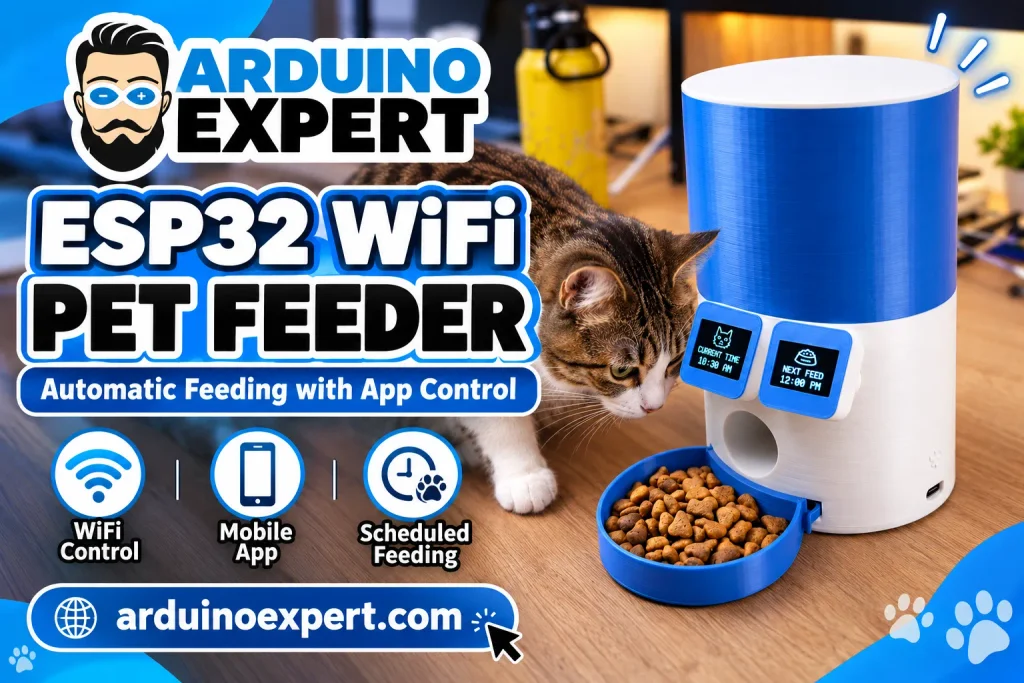
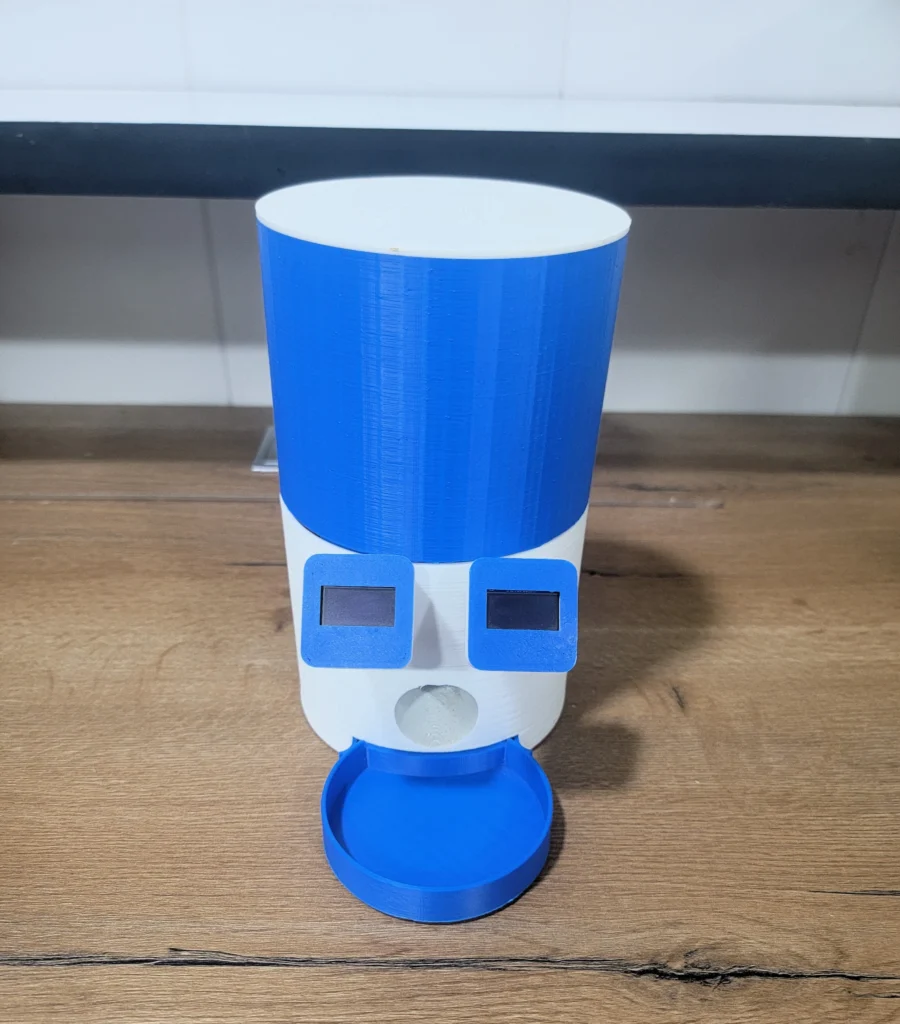
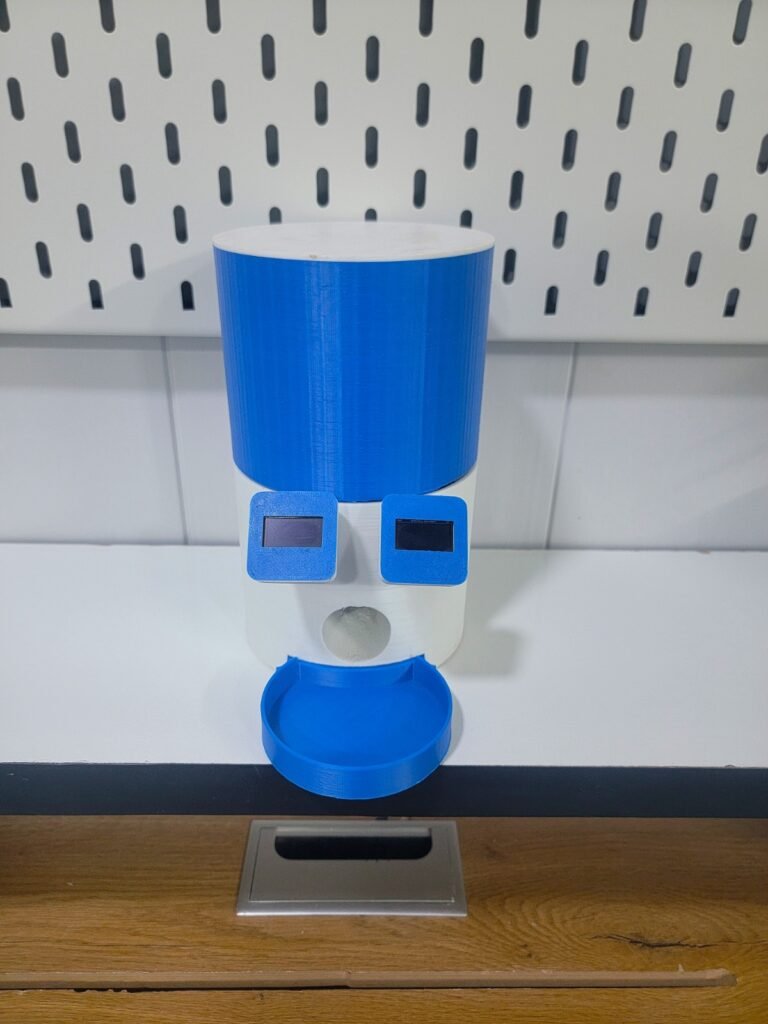
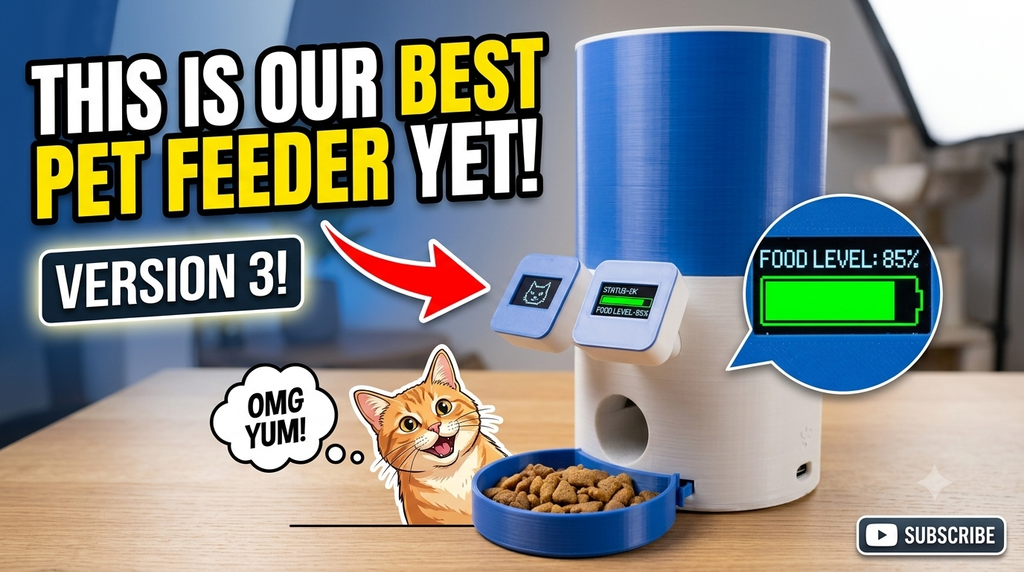
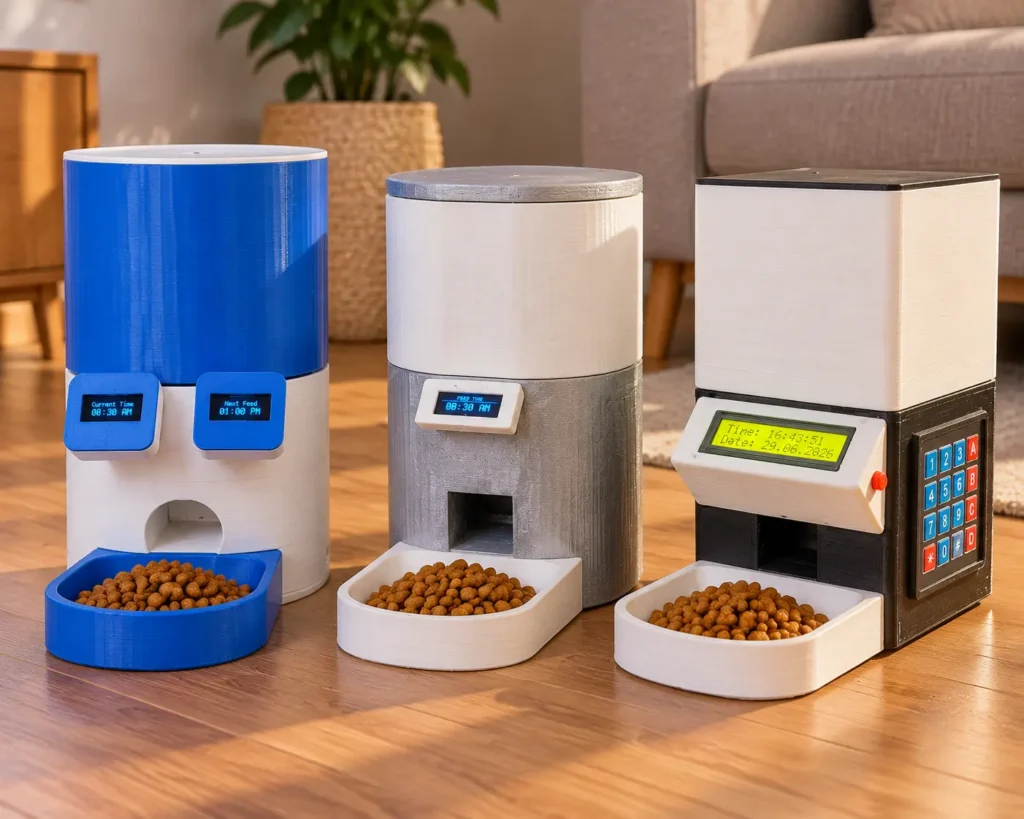
Another distinctive feature is its new 3D-printed enclosure. The feeder has a modern blue-and-white cylindrical body with two front-mounted OLED screens resembling expressive eyes. One screen shows the current time, while the second displays the next scheduled feeding time. Animated expressions add personality to the device.
At Arduino Expert, we developed the hardware, embedded control system, WiFi-based mobile application, dispensing mechanism, and 3D-printed enclosure as an integrated pet feeder prototype.
In this tutorial, we will explore the complete project architecture, electronic components, WiFi/AP communication, dual OLED interface, mobile app functionality, feeding mechanism, rechargeable power system, and practical assembly and testing considerations.
Explore our Arduino Automatic Pet Feeder and ESP32 Bluetooth Pet Feeder.
Key Features of Our ESP32 WiFi Automatic Pet Feeder
The main features of this smart automatic pet feeder include:
- ESP32 microcontroller with built-in WiFi.
- Custom Android application for local wireless control.
- Two connectivity options: home WiFi and direct ESP32 hotspot (AP).
- Manual feeding through the mobile app.
- Programmable automatic feeding schedules.
- Adjustable food portion settings.
- DS3231 real-time clock for accurate feeding times.
- Two independently controlled OLED displays.
- Current time displayed on the first OLED.
- Next scheduled feeding time displayed on the second OLED.
- Animated expressions on the OLED screens.
- SG90 servo-operated food dispensing mechanism.
- Rechargeable 18650 lithium-ion battery power.
- IP5306 USB-C battery charging and power management module.
- 4700 µF capacitor for improved power stability.
- Custom-designed and 3D-printed enclosure.
- Local feeding operation without a cloud subscription.
The design combines automatic food dispensing, convenient smartphone control, and a compact physical interface suitable for an experimental automatic dry-food feeder.
Working Video Demo of WiFi Smart Automatic Pet Feeder
What Makes This WiFi Pet Feeder Different?
A basic automatic feeder needs a timer and a motor. Our objective was to bring the control interface, feeding mechanism, wireless communication, and enclosure together in a single smart device.
We have previously developed other pet feeder projects, each with a different approach to user control.
Our Arduino Automatic Pet Feeder uses an Arduino Uno, keypad, LCD, and RTC module for standalone feeding. It is suitable for users who prefer a traditional offline interface.
We also developed a Smart Bluetooth Pet Feeder Using ESP32, featuring smartphone control through Bluetooth Classic.
This new version focuses on WiFi-based local communication, allowing a phone and the feeder to exchange commands through the same wireless network or through the feeder’s own hotspot.
We also redesigned the physical product. Rather than retaining the previous enclosure, we created a new body with two OLED screens, a different component arrangement, and an integrated feeding bowl.
These changes make the WiFi model a separate embedded-system and product-design project, not simply a connectivity modification to the Bluetooth feeder.
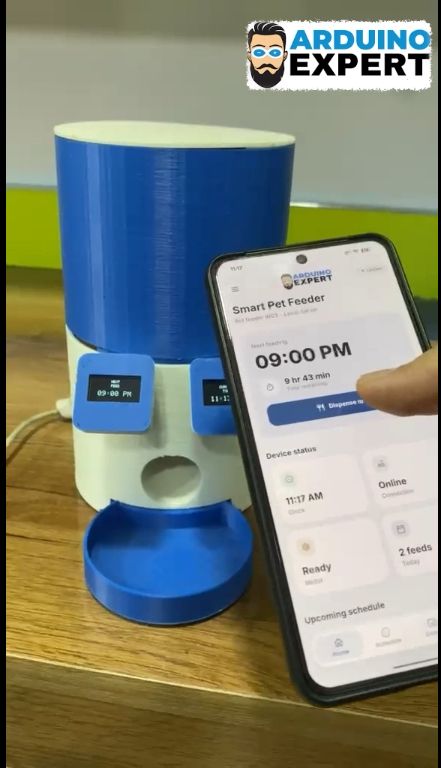
Components Required for the ESP32 Automatic Pet Feeder
The main electronic and mechanical components used in this Automatic Pet Food Dispenser project are listed below.
| Component | Quantity | Purpose |
| ESP32 development board | 1 | Main controller and WiFi communication |
| SG90 servo motor | 1 | Operates the food dispensing mechanism |
| DS3231 RTC module | 1 | Maintains the current date and time |
| OLED display modules | 2 | Display current time, next meal, and animations |
| IP5306 USB-C power module | 1 | Battery charging and regulated output |
| 18650 rechargeable lithium-ion cells | As configured | Portable power supply |
| 4700 µF, 16 V capacitor | 1 | Helps stabilize power during servo operation |
| Switch Button | 1 | For Power Control |
| 3D-printed enclosure | 1 set | Holds the electronics, food container, and mechanism |
| Food dispensing bowl | 1 | Collects dispensed food |
| Connecting wires and connectors | As required | Electrical connections |
| Suitable USB-C charging supply | 1 | Recharges the battery system |
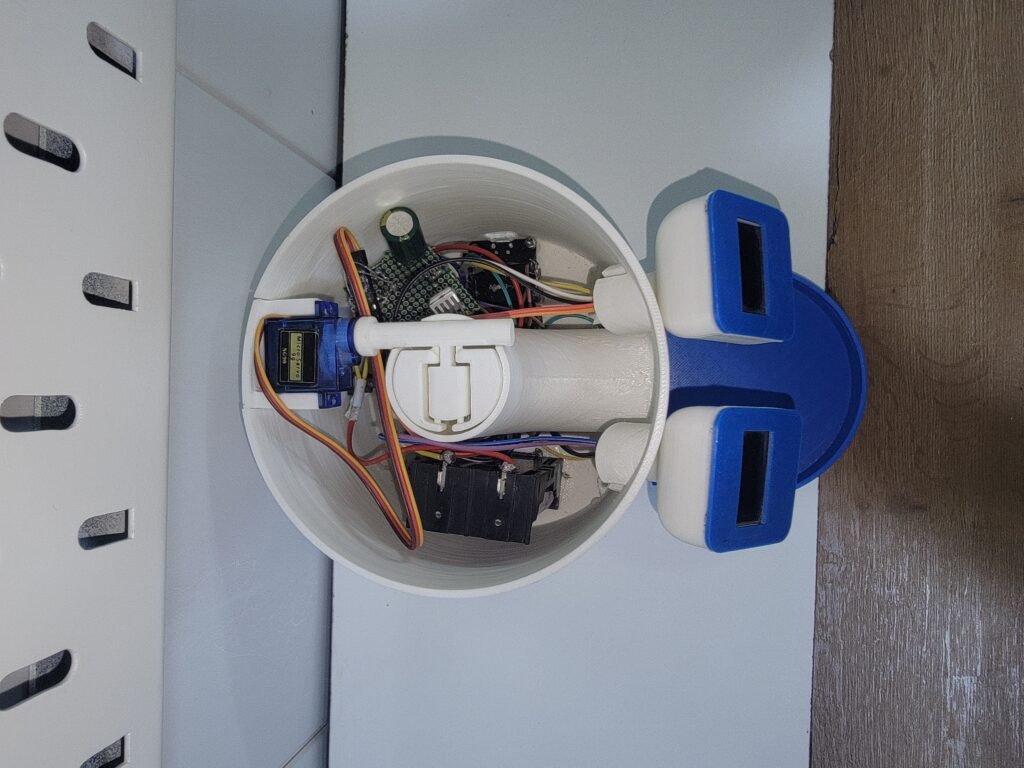
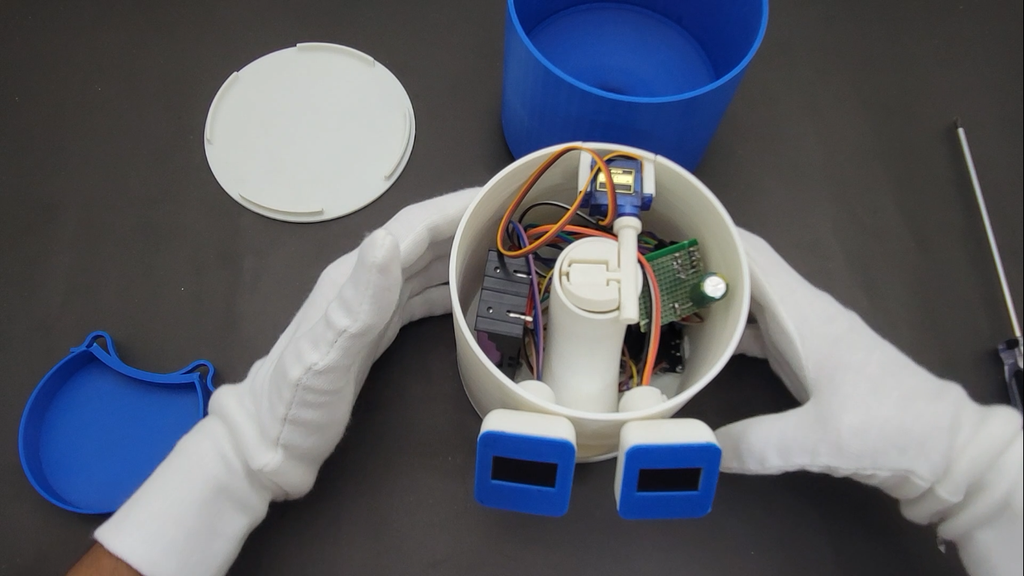
The complete feeder is assembled within the custom 3D-printed body, with the electronics and mechanical dispensing components arranged to provide a compact design.
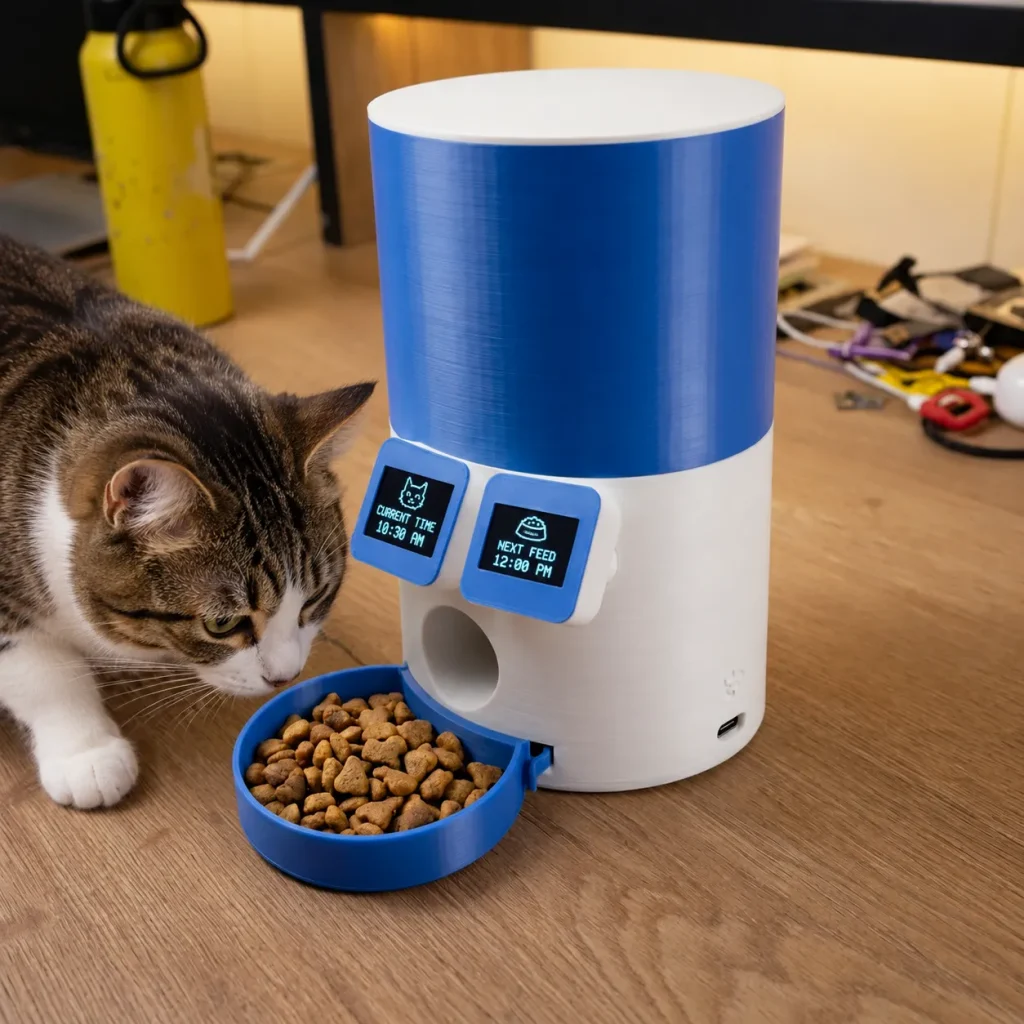
How Does the ESP32 WiFi Automatic Cat Feeder Work?
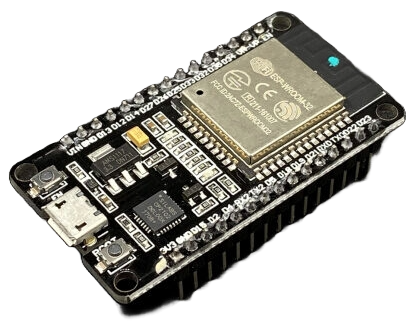
The ESP32 performs the central control functions of the automatic feeding system. It communicates with the mobile application, reads time information from the DS3231 RTC, operates the servo motor, and updates the two OLED displays.
The system can be understood through five main stages.
1. WiFi Communication with the Custom Mobile App
The smartphone connects to the pet feeder through the local WiFi network or directly through the ESP32’s wireless hotspot.
The application exchanges control commands and feeding settings with the ESP32. The controller processes these requests and performs the corresponding operations.
2. Reading Time from the DS3231 RTC
The DS3231 provides the clock information used by the feeding scheduler.
The ESP32 reads the RTC time and uses it to determine when a scheduled feeding event should occur.
3. Calculating the Next Feeding Time
The controller evaluates the configured feeding schedule to determine which feeding event is next.
This information is displayed on the second OLED, allowing the user to see the upcoming feeding time without opening the mobile application.
4. Operating the Servo Motor
When a scheduled feeding time is reached—or the user activates the manual feeding command—the ESP32 operates the SG90 servo.
The servo moves the mechanical dispensing gate, allowing dry food to flow toward the bowl before the mechanism returns to its closed position.
5. Updating the OLED Interface
Both displays are controlled by the ESP32. Along with their time-related information, they present animated expressions that make the feeder’s interface more engaging.
The physical displays and mobile application provide complementary ways to interact with the same device.
Two WiFi Connectivity Modes: Local Network and Hotspot (AP)
One of the central features of this project is the ability to control the pet feeder using two different WiFi connection methods.
Both methods are intended for local communication rather than internet-based remote control.
Mode 1: Home WiFi Network (Local Server)
In this operating mode, the ESP32 connects to an existing WiFi router as a station.
The smartphone also connects to the same local network. The application communicates with the feeder through its local network interface.
The operating sequence is straightforward:
- Power on the automatic pet feeder.
- Connect the ESP32 to the configured home WiFi network.
- Connect your smartphone to the appropriate local WiFi network.
- Open the custom pet feeder application.
- Establish communication with the feeder.
- Configure feeding times, portion settings, or activate manual feeding.
This mode is useful when the feeder is installed at home and a WiFi router is available.
An internet connection is not inherently required for communication between devices on the same local network. The router provides the local networking environment, while the ESP32 handles the feeding commands.
Important: The current project uses local WiFi connectivity. It should not be confused with a cloud-connected pet feeder that supports remote feeding from anywhere in the world.
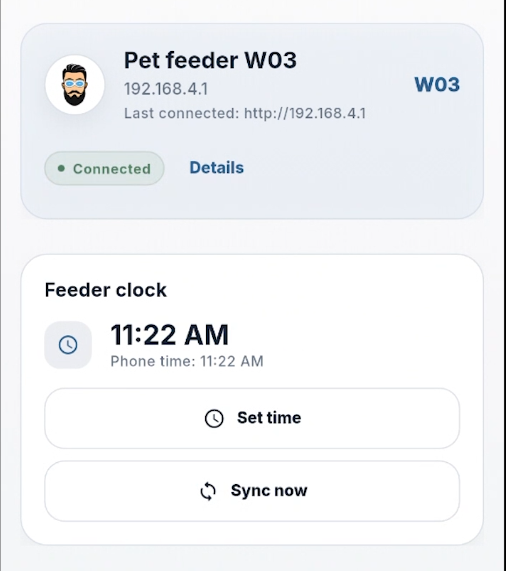
Mode 2: ESP32 Hotspot / Access Point (AP)
What happens when a WiFi router is unavailable?
The ESP32 can operate as a WiFi Access Point, creating its own wireless network that a smartphone can join directly.
In AP mode, the mobile phone connects to the feeder instead of connecting through a home router.
The basic connection process is:
- Activate the feeder’s AP operating mode.
- Open the WiFi settings on your smartphone.
- Select the wireless network created by the ESP32.
- Enter the configured WiFi password.
- Open the pet feeder application.
- Connect to the feeder and use the available controls.
This direct WiFi connection is particularly useful for initial setup, testing, demonstrations, and locations without an existing network.
The phone may display a message indicating that the network does not provide internet access. This is normal for a local-only AP connection.
The user should remain connected to the ESP32 network while operating the feeder in AP mode.
WiFi Mode vs AP Mode
| Feature | Local WiFi Mode | Direct AP Mode |
| Home router required | Yes | No |
| Internet required for local control | No | No |
| Smartphone app control | Yes | Yes |
| Automatic feeding using stored schedules | Supported by the RTC-based design | Supported by the RTC-based design |
| Device communication | Through local network | Directly through ESP32 hotspot |
| Cloud-based remote control | Not included | Not included |
The ESP32 supports station and SoftAP networking, making it a practical controller for local wireless automation projects.
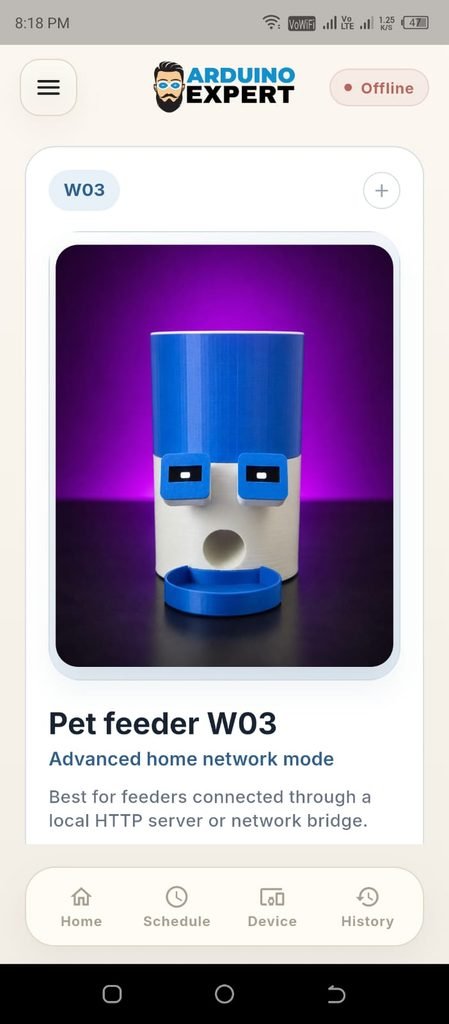
Custom Mobile Application for Pet Feeder Control
To provide a convenient user interface, we developed a dedicated WiFi mobile application for this automatic pet feeder.
The application builds on the functionality of our earlier Bluetooth feeder app, with improvements to the interface and communication system for WiFi operation.
Instead of using a physical keypad to configure the feeder, the user can access feeding controls from a smartphone.
Manual Feeding — Feed Now
The manual feeding option allows the user to activate the dispensing mechanism directly from the application.
After receiving the command, the ESP32 executes the configured feeding cycle by moving the servo-controlled outlet.
This is useful when the user wants to dispense an additional portion without changing an existing schedule.
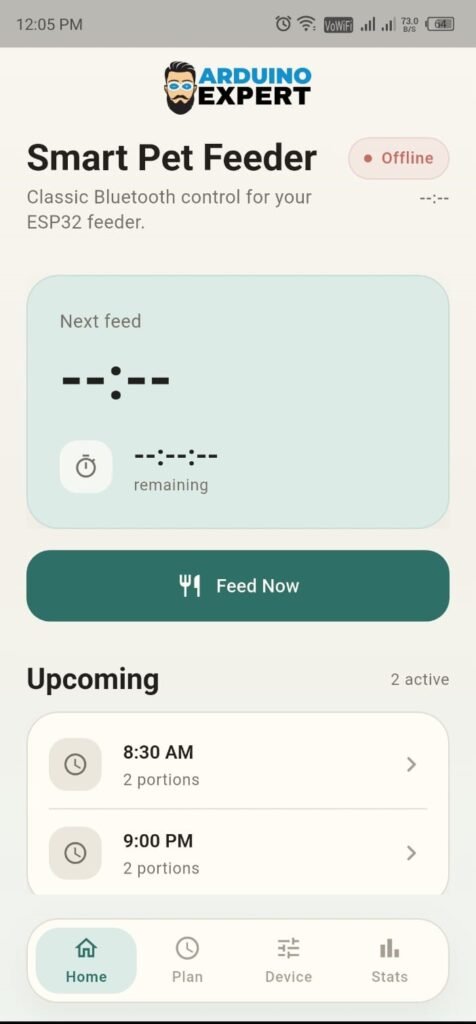
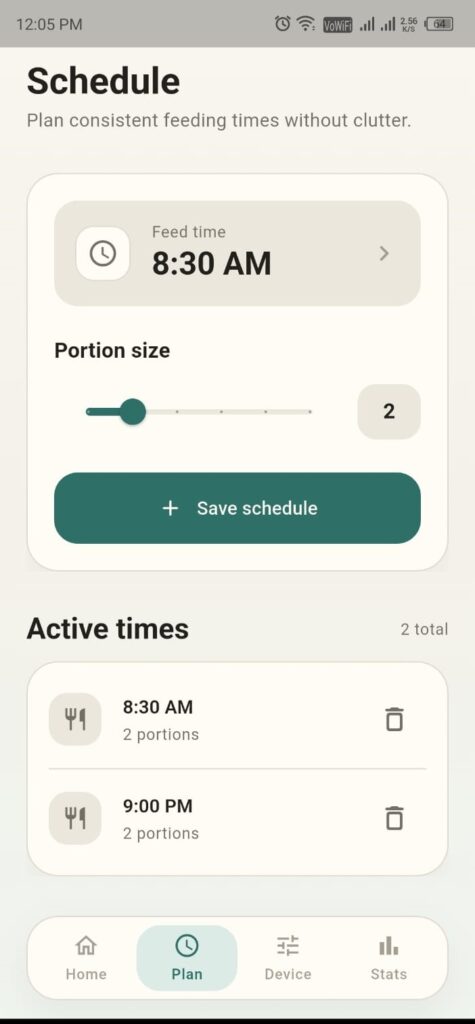
Automatic Feeding Schedule
The programmable pet feeder allows users to configure feeding times through the application.
The ESP32 uses the DS3231 time information to determine when the selected feeding event should occur.
By maintaining the feeding schedule on the device, the design separates automatic feeding from the availability of an active phone connection.
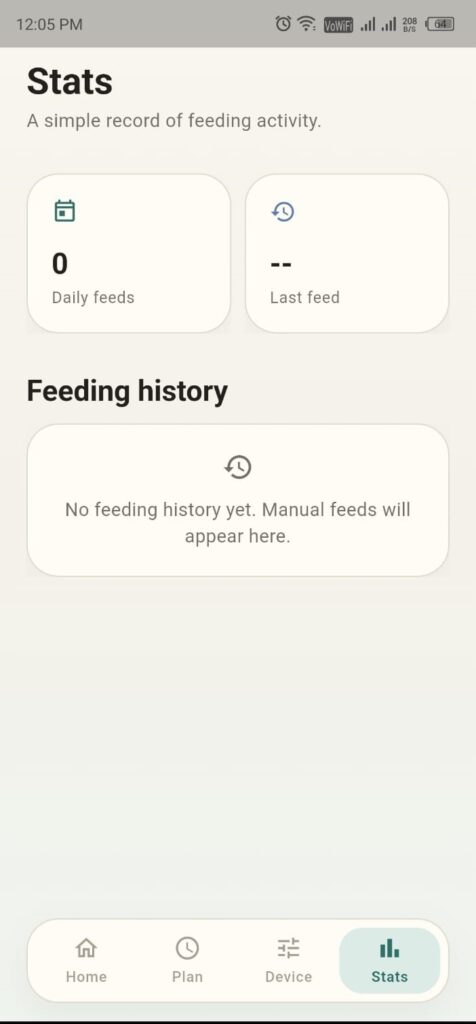
Feeding History and Activity
The application also includes feeding activity functionality based on the controller’s recorded feeding operations.
This can help users review scheduled or manual feeding events.
A feeding record confirms that a feeding operation was initiated or executed by the controller; it should not be interpreted as independent proof that food physically entered the bowl. That level of confirmation would require additional sensing.
RTC Time Configuration
Accurate time is essential for a programmable feeder.
The application provides a convenient way to configure the DS3231 clock, helping the user maintain the correct time for automatic feeding.
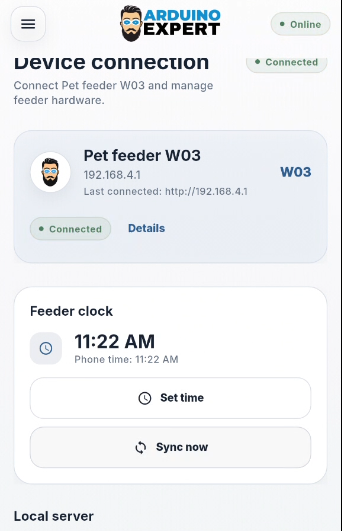
Our team also provides custom mobile app development services for ESP32, IoT, and embedded products that require dedicated user interfaces.
Dual OLED Displays with Animated Expressions
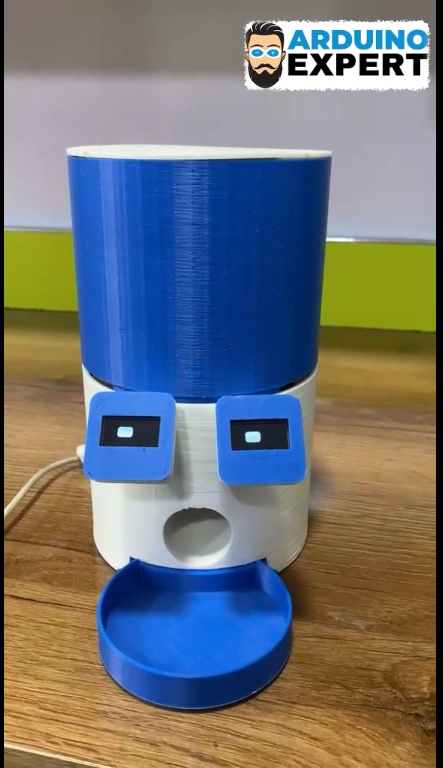
One of the most recognizable features of our new smart pet feeder is the use of two OLED displays instead of one.
Both screens are mounted on the front of the enclosure and visually resemble the eyes of the feeder.
The displays provide useful information while adding character to the design through animated expressions.
OLED 1 — Current Time
The first OLED displays the current time read from the DS3231 RTC module.
This allows the user to check the feeder’s clock directly without opening the application.
OLED 2 — Next Scheduled Feeding Time
The second OLED is dedicated to the next upcoming feeding time.
Instead of repeatedly switching a single screen between current time and feeding information, the two-display arrangement allows the feeder to present both values through dedicated displays.
For example, if the current time is 10:30 AM and the next scheduled meal is at 12:00 PM, the displays can present:
| OLED 1 | OLED 2 |
| Current Time | Next Feeding |
| 10:30 AM | 12:00 PM |
The values above are illustrative. The actual information changes according to the RTC and configured feeding schedule.
Animated OLED Expressions
The two OLEDs are also used to display graphical expressions and animations.
This gives the automatic feeder a more interactive appearance than a conventional screen-based controller.
The animations are part of the embedded firmware and operate alongside the time and feeding display functions.
Connecting Two OLEDs to the ESP32
The OLED modules communicate with the ESP32 using the I²C interface.
When two similar OLED modules use the same I²C bus, they must have distinct addresses to allow independent control.
In this project, the two displays are configured with different addresses, so the ESP32 can update them separately.
For example, compatible OLED modules may support addresses such as 0x3C and 0x3D. The actual addresses depend on the display modules used.
The DS3231 RTC also communicates through I²C and typically uses address 0x68.
Documenting the correct display addresses in the firmware is essential. Otherwise, both display modules may respond incorrectly or one may not display the intended content.
SG90 Servo Motor and Automatic Food Dispensing
The dispensing mechanism is operated by an SG90 servo motor controlled through the ESP32.
A servo is suitable for compact mechanical mechanisms because its shaft position can be controlled electronically.
In our pet feeder, the servo operates the food outlet integrated into the lower part of the enclosure.

During a feeding cycle:
- The ESP32 receives a manual feeding command or detects a scheduled feeding time.
- The controller operates the SG90 servo.
- The food outlet opens through the mechanical linkage.
- Dry food passes through the dispensing opening.
- The food falls into the feeding bowl.
- The servo returns the mechanism to its closed position.
The amount of food dispensed depends on the selected portion setting and mechanical design.
Improving Portion Consistency
For better feeding consistency, it is important to test the mechanism with the actual dry kibble.
Different food shapes and sizes can produce different flow rates through the same opening.
During calibration, measure several dispensing cycles, record the food weight for each portion setting, and compare the results.
This allows you to estimate the practical serving size and identify problems such as inconsistent flow or food becoming trapped near the outlet.
The SG90-based design is intended for a compact prototype dispensing mechanism. Motor torque, food size, and gate resistance should be checked before extending the design to larger-capacity feeders.
IP5306 Rechargeable Battery and USB-C Power System
Power management is particularly important in a WiFi pet feeder because the ESP32, OLED displays, and servo motor have different electrical requirements.
The ESP32 operates continuously to maintain the clock interface and handle wireless communication, while the servo may draw a much larger current during movement.
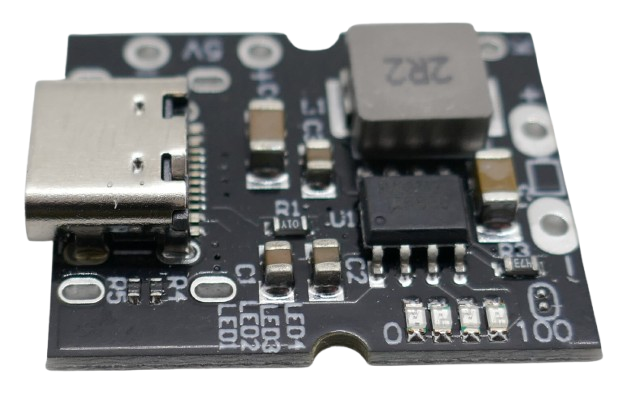
For this version, we changed the rechargeable power arrangement and selected an IP5306 USB-C power module with 18650 lithium-ion cells.
Why We Selected the IP5306 Module
The IP5306 is a power-management integrated circuit commonly used in rechargeable power-bank designs.
It combines lithium-ion battery charging and a boosted output supply in a compact solution.
Our module was tested at an output current of up to approximately 2.4 A, making it a practical candidate for the power requirements of this feeder prototype.
The design uses a USB-C connection for charging, reducing the need for separate charging and boost-converter modules.
However, the module’s actual performance depends on the circuit board, battery condition, input power, wiring, thermal behavior, and connected load.
For reliable operation, the final device should be tested during repeated servo movement and WiFi activity.
Role of the Capacitor
A 4700 µF electrolytic capacitor is included in the feeder’s power system to help reduce short-duration voltage dips.
When the SG90 servo starts moving, its temporary current demand can disturb the supply voltage.
The bulk capacitor helps support the regulated supply during fast load changes.
The capacitor must be connected with the correct polarity across the appropriate regulated supply rails.
It is important to understand that the capacitor does not increase the maximum continuous current available from the power module. A correctly rated and stable power supply is still required.
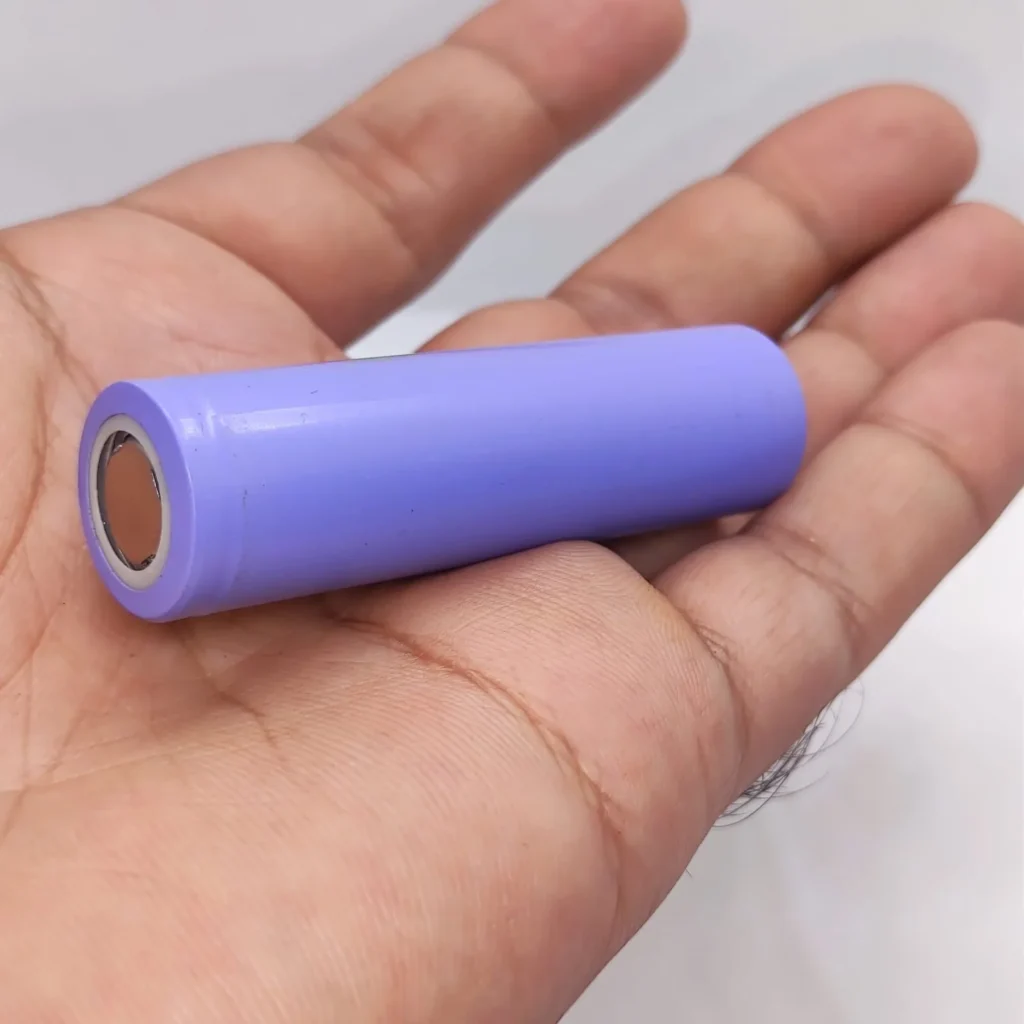
Rechargeable 18650 Battery Operation
The lithium-ion cells supply energy to the feeder through the power-management module.
USB-C charging provides a convenient way to recharge the battery system.
The battery arrangement must match the supported charging configuration of the exact IP5306 board.
The finished design should also account for cell protection, charging current, temperature, and the accessibility of the charging connection.
Some IP5306-based modules include low-load automatic shutdown behavior, so continuous feeder operation should be verified using the selected board and actual firmware.
Custom 3D-Printed Enclosure Design of Automatic Pet Food Dispenser
An interesting aspect of this project is its completely redesigned physical enclosure. We wanted the automatic feeder to have a compact and recognizable appearance, rather than look like electronics mounted around a storage container.
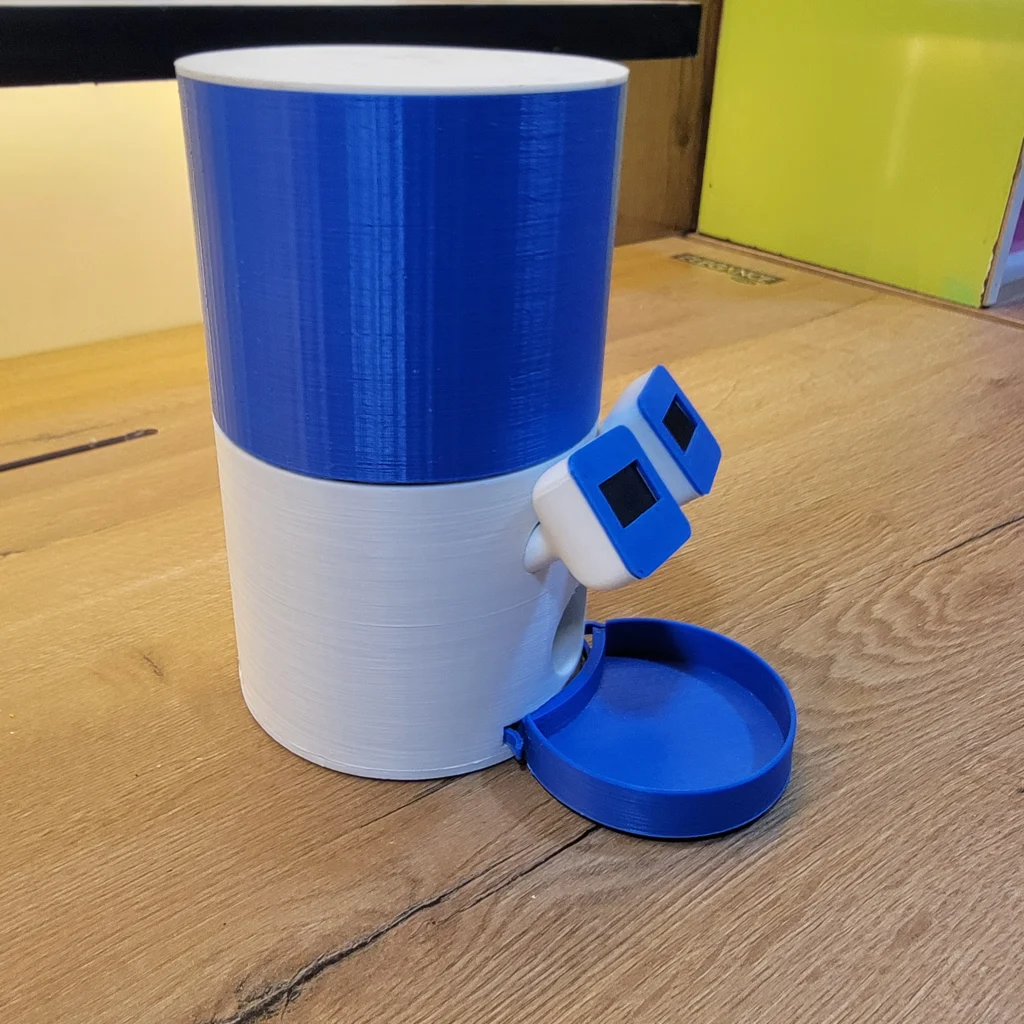
The new body features a blue-and-white design with a cylindrical upper compartment, a rounded central section, and a feeding bowl positioned directly below the dispensing outlet.
Two OLED displays are mounted on the front face in separate blue frames.
Main Enclosure Sections
Upper food container: The cylindrical upper section stores dry pet food and directs it toward the dispensing mechanism.
Central electronics section: The lower white section accommodates the display interface, electronic controls, and dispensing mechanism.
Dual-OLED mounting: The front of the body contains two separate display openings, creating an eye-like appearance.
Dispensing outlet: A circular opening above the bowl provides the food delivery path.
Feeding bowl: The blue lower bowl collects food released during each feeding cycle.
The enclosure is designed in CAD and manufactured through 3D printing, allowing the position of the electronics, displays, mechanical parts, and battery components to be customized.
For a feeder intended for regular pet use, surfaces that contact food should be evaluated for material suitability and cleanability. A removable, washable food-contact insert can make maintenance easier.
If you need a custom enclosure for an electronics project, explore our 3D design and modeling services, covering product housings, mechanical parts, and prototype development.
Circuit Diagram and Electrical Connections of Automatic Cat Feeder
The circuit combines the ESP32 controller, DS3231 RTC, two I²C OLED displays, SG90 servo, and IP5306 rechargeable power system.
The ESP32 communicates with both displays and the RTC, while a separate GPIO control signal operates the servo.
Main Circuit Connections
| Component | Electrical connection |
| OLED 1 | I²C SDA, SCL, power, and ground |
| OLED 2 | I²C SDA, SCL, power, and ground |
| DS3231 RTC | I²C SDA, SCL, power, and ground |
| SG90 signal wire | Configured ESP32 servo GPIO |
| SG90 power wire | Suitable regulated servo supply |
| SG90 ground wire | Common ground |
| IP5306 output | Appropriate regulated input to the feeder electronics |
| 4700 µF capacitor | Across the appropriate regulated supply, observing polarity |
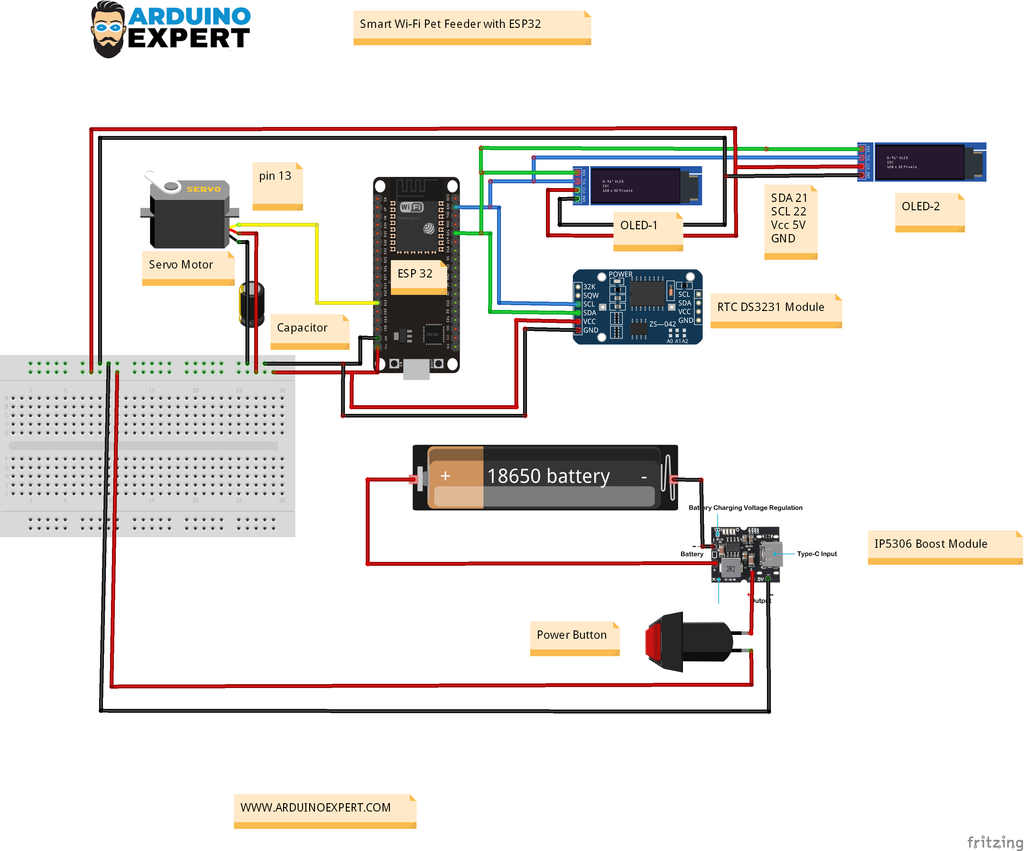
Important: The ESP32 uses 3.3 V logic. Check the voltage levels of the I²C bus, display modules, and RTC pull-up resistors before connecting the components. A 5 V servo supply must not be applied directly to an ESP32 GPIO.
All control and power sections that require a common electrical reference must share ground.
The actual GPIO assignments should match the firmware and published schematic.
ESP32 Programming and Firmware Overview
The ESP32 firmware coordinates local WiFi communication, feeding schedules, display updates, and servo movement.
Rather than requiring the user to keep the mobile app open, the automatic feeding logic runs on the microcontroller.
The main firmware functions include:
WiFi and AP Configuration
The ESP32 initializes the configured network mode and makes the feeder available for local communication.
In station mode, the device joins a WiFi network. In AP mode, the ESP32 creates the wireless network that the phone connects to.
Mobile Command Processing
The controller receives commands and settings from the mobile application.
Typical operations include manual feeding, schedule configuration, portion selection, and device time adjustment.
RTC-Based Scheduling
The firmware reads the DS3231 and checks the current time against the configured feeding schedule.
At the appropriate time, the controller initiates the feeding mechanism.
It is important to handle repeated clock checks, device restarts, and interrupted feeding cycles carefully to avoid unintended duplicate dispensing.
Next Feeding Time Calculation
The firmware determines the upcoming scheduled feeding event and updates the second OLED.
This feature requires the scheduler to consider the next scheduled meal, including schedules occurring after midnight.
Dual OLED Control
The display functions manage the current-time screen, upcoming feeding-time screen, and animated expressions.
Because each OLED has a different I²C address, the controller can update them independently.
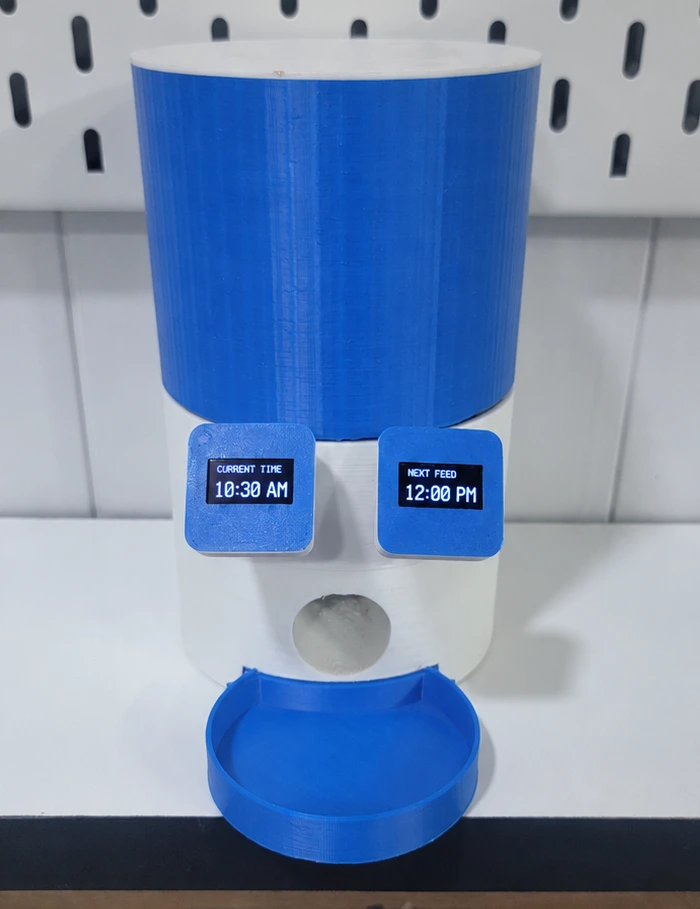
Servo Operation
The servo-control function manages movement of the dispensing mechanism according to the selected feeding operation and portion settings.
Installing and Uploading the Firmware
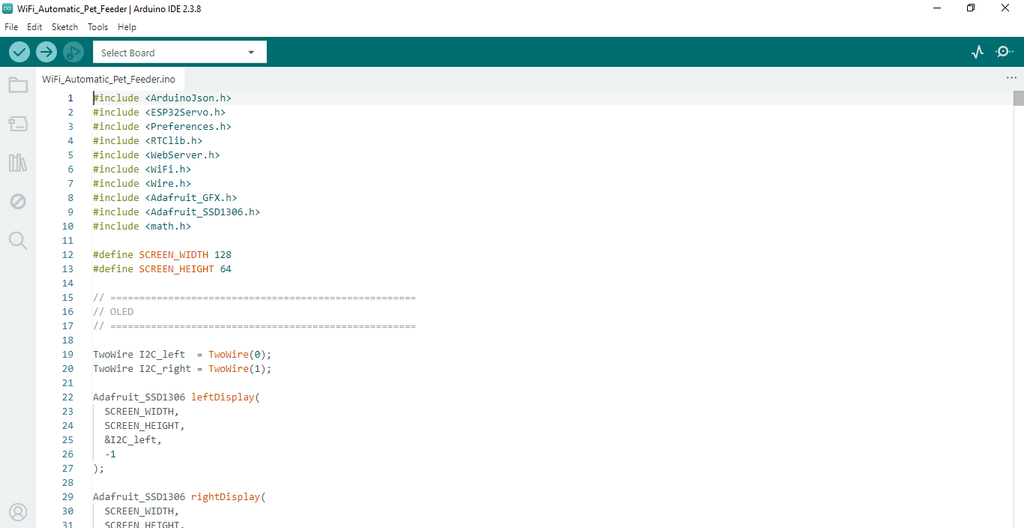
The project can be programmed using the Arduino IDE with the appropriate ESP32 board support package and the libraries required by the final source code.
The general procedure is:
- Install the Arduino IDE and ESP32 board package.
- Install the RTC, OLED, and servo libraries specified by the project firmware.
- Open the ESP32 pet feeder source code.
- Check the configured GPIO assignments, OLED addresses, and WiFi settings.
- Select the correct ESP32 board and serial port.
- Upload the firmware.
- Open the Serial Monitor to check startup and connection information.
- Test the RTC, both OLED displays, and servo before installing the electronics in the enclosure.
Connecting the Custom App to the WiFi Pet Feeder
After the ESP32 firmware has been uploaded and the electronics have been tested, the feeder can be operated through the custom Android application.
The connection method depends on the selected WiFi operating mode.
Using the Home WiFi Network
Connect the feeder and smartphone to the intended local network, then open the application and connect to the ESP32 device.
Once connected, the available feeding functions can be used through the app interface.
Using Direct AP / Hotspot Connectivity
Enable the feeder’s AP mode, connect the phone to the ESP32 wireless network, and open the application.
The app then communicates with the feeder through the direct WiFi connection.
Use the network name, password, and application connection configuration supplied with the finished firmware.
For reliable operation, confirm that the phone is connected to the correct network and that the app has the necessary local-network permissions.
Testing the Automatic Pet Food Dispenser
Before using the feeder for regular scheduled dispensing, each major feature should be tested independently.
Test 1: Verify the Dual OLED Displays
Power on the feeder and check that both OLED modules initialize correctly.
Confirm that the first OLED displays the current time and the second shows the next scheduled feeding time.
Test the animations to ensure they do not interfere with the display functions.
Test 2: Check Manual Feeding
Use the application’s Feed Now control to activate the SG90 servo.
Confirm that the dispensing gate moves correctly, releases food, and returns to its closed position.
Test 3: Test the Automatic Feeding Schedule
Create a feeding schedule a few minutes ahead of the current time.
Check whether the displayed next feeding time updates correctly and whether the feeder operates at the expected time.
Repeat the test with multiple configured feeding times.
Test 4: Verify Local WiFi and AP Connectivity
Test communication through the home WiFi network and then through the ESP32 access point.
Confirm that feeding commands and configuration changes reach the ESP32 correctly in both modes.
Test 5: Check Operation without an Active Phone Connection
Configure a schedule, close the mobile application, and verify that the feeder continues checking the RTC and executes the scheduled operation.
This test helps confirm that automatic feeding is handled by the ESP32 rather than relying on a continuously connected phone.
Test 6: Check Power Stability
Run repeated servo operations while the ESP32 is connected to WiFi and the OLED displays are active.
Monitor for unexpected restarts, screen interruptions, or unstable motor movement.
Also test charging and transitions between battery and external power.
Test 7: Evaluate Portion Consistency
Use the same dry food for repeated dispensing cycles.
Measure the amount released during each cycle and adjust the configured settings if necessary.
Testing different kibble sizes can help identify whether the outlet requires mechanical adjustment.
Troubleshooting Common Issues
| Problem | Possible cause | What to check |
| Mobile app cannot connect | Incorrect WiFi network or device connection settings | Verify WiFi/AP mode, network address, and app settings |
| One OLED is blank | I²C address or connection issue | Check display address, wiring, and initialization |
| Both OLEDs show incorrect data | Address conflict or firmware issue | Verify independent OLED objects and I²C addresses |
| Wrong feeding time | Incorrect RTC setting or schedule configuration | Check DS3231 time and saved feeding settings |
| Servo moves but food does not dispense | Jammed gate or unsuitable food size | Inspect mechanism and calibrate with actual kibble |
| ESP32 restarts during feeding | Temporary voltage drop or supply limitation | Test IP5306 output, wiring, and capacitor placement |
| AP connects but app does not respond | Incorrect connection address or local-network restrictions | Check app configuration and communication settings |
| Feeding time is correct but the event is missed | Scheduling or restart-handling issue | Review RTC comparisons, saved schedules, and error handling |
These checks can help isolate whether a problem originates from the power circuit, WiFi interface, software, or physical dispensing mechanism.
Advantages and Practical Limitations
The main advantage of this project is its combination of smartphone control and independent RTC-based scheduling.
The WiFi/AP design offers flexibility for local setup, while the dual OLED interface provides information directly on the feeder.
The custom enclosure makes the project suitable for demonstrating complete embedded product development, including electronics, software, mechanical design, and prototyping.
However, this is a prototype and should be understood within its current hardware limitations.
The servo-controlled dispenser does not measure food weight. There is no described load cell, food-level sensor, jam-detection sensor, RFID identification system, or camera. The local WiFi application is not a cloud service for worldwide remote access.
Before relying on any automatic feeder while a pet is unattended, verify reliable dispensing, food storage, hygiene, battery safety, and recovery from power or mechanical failures.
Need a Custom Smart Pet Feeder?
This ESP32 WiFi automatic pet feeder demonstrates our work in embedded electronics, wireless communication, mechanical product design, mobile app development, and prototype assembly.
At Arduino Expert, we can help develop customized automatic pet feeding systems based on specific requirements. These may include a different enclosure, custom dispensing mechanism, additional sensors, PCB integration, updated mobile application, or more advanced connectivity.
Explore our Custom Pet Feeder Development Services to learn about our hardware, firmware, app, and product-development capabilities.
Conclusion
In this project, we developed a WiFi Automatic Pet Feeder Using ESP32 that combines two local wireless connection methods, a dedicated smartphone application, programmable feeding schedules, and a distinctive dual-OLED interface.
The first OLED displays the current time, while the second shows the next scheduled feeding time. Together with the animated expressions and blue-and-white 3D-printed body, these displays give the feeder a recognizable appearance.
The DS3231 RTC manages timekeeping, the SG90 servo operates the food-dispensing mechanism, and the IP5306 USB-C power module supports rechargeable operation.
By bringing these elements together, the project demonstrates how an ESP32-based device can integrate local WiFi control, automatic scheduling, display animation, power management, and custom mechanical design.
Frequently Asked Questions (FAQs)
Can I build an automatic pet feeder using ESP32?
Yes. The ESP32 can control a dispensing motor or servo, communicate with a real-time clock, operate displays, and provide WiFi connectivity. This project combines these functions in a custom-designed automatic dry-food feeder.
Does this WiFi pet feeder require an internet connection?
No internet connection is required for its local control approach. In home WiFi mode, the phone and feeder communicate through a local network. In AP mode, the phone connects directly to the ESP32 hotspot.
Can I control the feeder without a WiFi router?
Yes. The ESP32 Access Point mode allows the device to create its own WiFi network for direct local smartphone communication.
Can the pet feeder operate automatically without a smartphone connected?
The ESP32 uses the DS3231 RTC and locally configured feeding schedules, so scheduled operations are designed to run without keeping the app connected. The final firmware should be tested for schedule retention and recovery after power interruption.
What is the purpose of the two OLED screens?
One OLED displays the current time and the other shows the next scheduled feeding time. Both screens also support animated expressions.
Why is the DS3231 RTC module used?
The DS3231 provides accurate date and time information for scheduled feeding. With a suitable backup cell fitted, the RTC can continue keeping time during interruption of its main power supply.
What does the IP5306 module do?
The IP5306 module provides lithium-ion charging and boosted power-output functions. Our prototype uses a USB-C version with rechargeable 18650 cells.
Why is a 4700 µF capacitor included?
The capacitor helps reduce short-duration voltage fluctuations caused by rapid changes in load, particularly during servo movement. It supplements a properly rated power system rather than replacing one.
Can the SG90 servo control the food portion size?
The SG90 can control the dispensing gate according to the programmed settings. However, the amount of food delivered depends on the mechanical opening and the type of dry food. Precise weight-based feeding requires additional measurement hardware.
Can I use this project as an automatic cat feeder or dog feeder?
The design is intended for dispensing suitable dry pet food and may be adapted for cats or small dogs. The mechanism must be evaluated for the food size, portion requirements, and capacity of the intended application.
Does this pet feeder have a camera or RFID sensor?
No. The current design focuses on WiFi/AP control, scheduled feeding, dual OLED expressions, and a rechargeable servo-operated dispensing system. Camera and RFID functions would require additional hardware and software.
Can Arduino Expert develop a customized WiFi pet feeder?
Yes. Arduino Expert offers custom pet feeder development, including embedded hardware, WiFi and Bluetooth connectivity, mobile applications, dispensing mechanisms, 3D enclosures, PCB design, and prototype integration.