In modern Product Design and Development, interactive sensing and intuitive feedback systems play a critical role in creating smart, user-responsive products. This project presents a Pressure-Sensitive RGB LED Strip System using Arduino and Velostat, designed to provide real-time visual and audible alerts based on applied pressure.
The system integrates a Velostat pressure sensor, an addressable RGB LED strip (NeoPixel / WS2812), a buzzer, and a push button, demonstrating a complete embedded solution that combines sensor interfacing, analog signal processing, LED animation control, and human-machine interaction.
This project is ideal for applications in smart products, safety systems, interactive installations, wearable technology, and industrial prototyping.
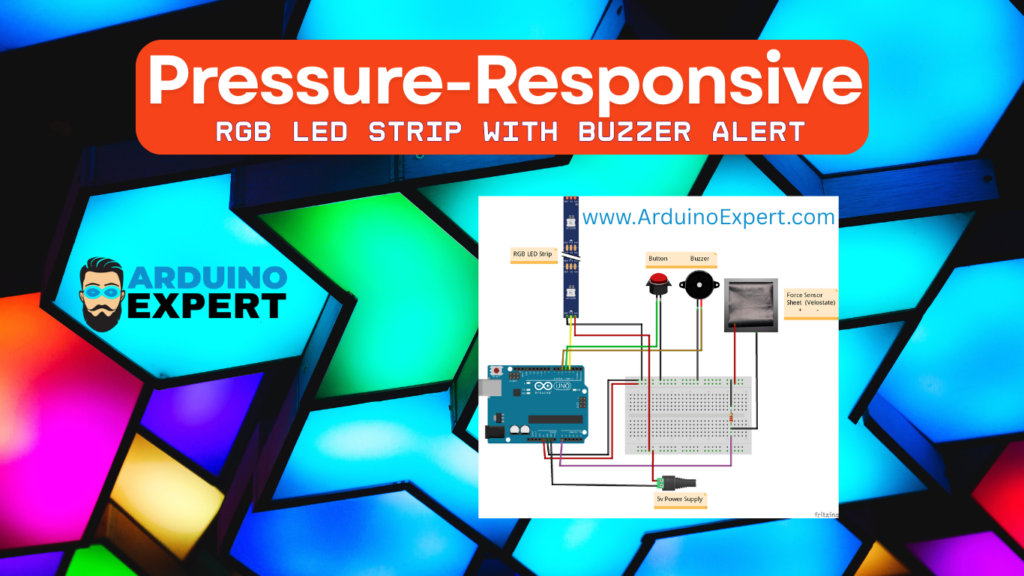
Project Overview Pressure Sensitive Velostat RGB LED Strip
The Pressure-Sensitive RGB LED System detects applied pressure using Velostat and instantly responds with a color change on the RGB LED strip and an audible alert via a buzzer. The project is built around an Arduino microcontroller, acting as the central processing unit that interprets sensor data and controls output devices.
At power-up, the RGB LED strip glows blue, indicating that the system is active and in standby mode. When pressure is applied beyond a predefined threshold, the system reacts immediately, making it highly suitable for real-time alert and interaction-based product designs.
This project showcases a complete workflow commonly used in Product Design and Development, from sensor selection and calibration to user feedback and system reset functionality.
What is Velostat? (Pressure-Sensitive Material Explained)
Velostat is a piezoresistive polymer sheet whose electrical resistance changes when pressure or force is applied. It is widely used in flexible electronics, pressure sensors, DIY force sensors, and smart product prototypes.

Key Properties of Velostat
- Resistance decreases with applied pressure
- Thin, flexible, and lightweight
- Easy to cut and shape for custom designs
- Cost-effective compared to traditional force sensors
- Ideal for rapid prototyping in Product Design and Development
Why Velostat is Used in This Project
- Enables detection of variable pressure levels
- Easily interfaced with Arduino using a voltage divider circuit
- Suitable for wearables, smart mats, seating sensors, safety pads, and interactive surfaces
Velostat bridges the gap between concept design and functional prototype, making it highly valuable for product innovation.
If you want to learn about the Force Sensitive Resistor Sensor (FSR) Application then you can Check This Project.

Functionality of Project
→System Initialization
- When powered ON, the Arduino initializes all peripherals.
- The RGB LED strip displays solid blue, representing standby mode.
- Serial communication starts for live sensor monitoring and calibration.
→Pressure Detection Logic
- The Velostat sensor is connected to an analog input pin on the Arduino.
- Arduino continuously reads the analog voltage generated by the Velostat.
- As pressure increases, the Velostat’s resistance decreases, causing a higher analog reading.
- The measured value is compared against a predefined pressure threshold.
→Alert Response
When the pressure exceeds the threshold:
- RGB LED strip changes from blue to yellow instantly, acting as a visual warning.
- Buzzer activates using PWM output, generating an audible alert for a fixed duration.
- Pressure values are printed on the Serial Monitor, enabling:
- Sensor calibration
- Debugging
- Product tuning during development
This immediate multimodal feedback improves usability and reliability—an essential aspect of professional embedded product development.
→Manual Reset Using Push Button
- A push button is connected using Arduino’s internal pull-up resistor.
- When pressed:
- The system resets the RGB LED strip back to blue (standby mode).
- Alerts are cleared without rebooting the system.
- This feature allows quick user acknowledgment, which is crucial in safety-critical and interactive systems.
Key Features of Pressure Responsive RGB LED Strip Project
- Real-time pressure sensing using Velostat
- Smooth RGB LED strip control using Adafruit NeoPixel Library
- Visual alert through dynamic color change
- Audible warning using PWM-controlled buzzer
- Manual reset functionality via push button
- Serial monitoring for calibration and testing
- Scalable design for commercial product development
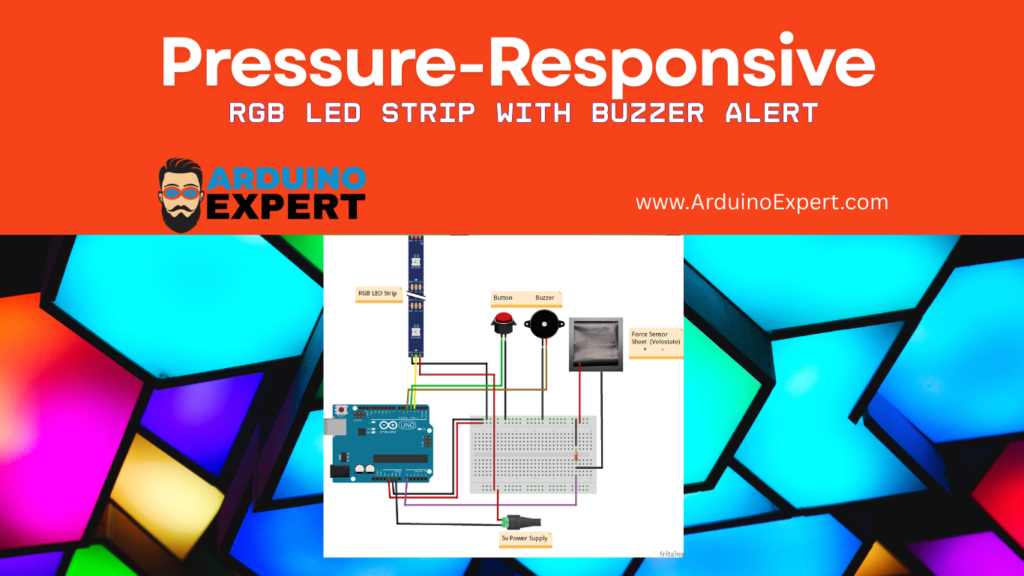
Components Used in the Project
| Component | Description |
|---|---|
| Arduino (UNO / Nano) | Main controller |
| Velostat Sheet | Pressure-sensitive material |
| WS2812 / NeoPixel RGB LED Strip | Visual feedback |
| Buzzer | Audible alert |
| Push Button | Manual reset |
| Resistors & Jumper Wires | Circuit connections |
| External Power Supply | Required for LED strip |
Circuit Diagram of Pressure Sensitive Velostate Sheet with Arduino

Conclusion
The Pressure-Sensitive RGB LED Strip Using Arduino and Velostat is a powerful demonstration of how simple materials and microcontrollers can be transformed into intelligent, interactive systems. By combining pressure sensing, RGB lighting, audible alerts, and manual controls, this project reflects real-world embedded product design practices.
Need Help/Assistance in Pressure Sensitive Velostat RGB LED Strip Project?
If you need any help or assistance inPressure Sensitive Velostat RGB LED Strip Project with or without Modifications/Customization then you can contact us through WhatsApp.
Learn More about the services we offer